
Browse docs
Tebex VIP Tiers
Configure Tebex subscriptions to deliver VIP tiers in Coinsystem V2.
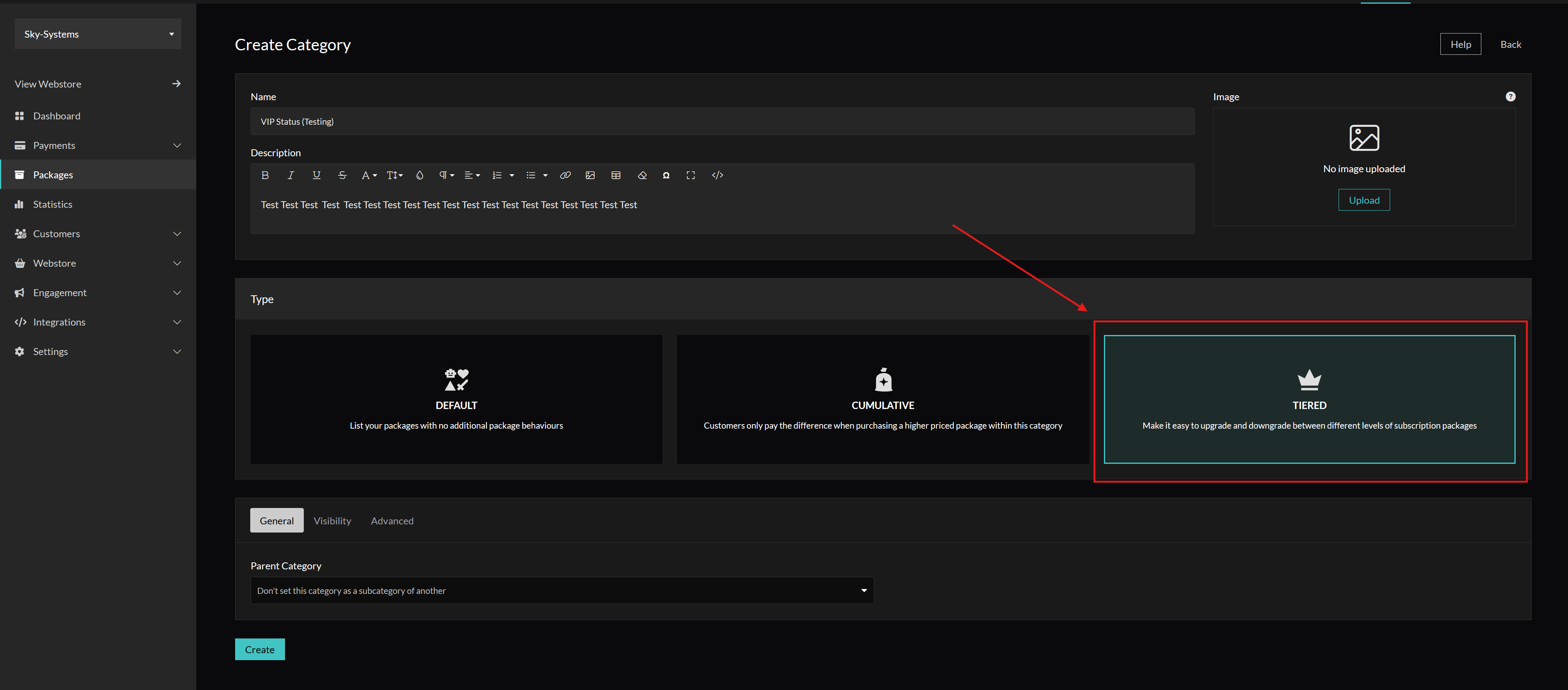
Create a Tiered Category
- In your Tebex control panel, open Packages.
- Create a new category for your VIP tiers.
- Set Type to Tiered.
This allows players to upgrade or downgrade tiers and only pay the difference when upgrading.
Create VIP Tier Packages
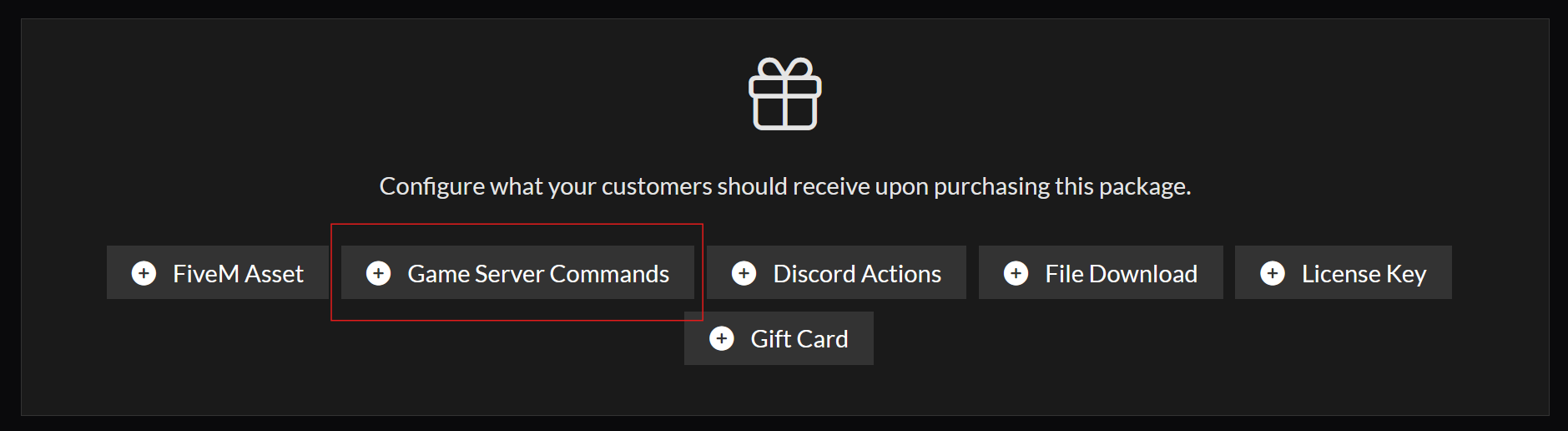
- Create a package for each VIP tier inside the new category.
- At the bottom of the package creation screen, select Game Server Commands as the deliverable type.
- Select your game server and click Add Command.
Configure the Delivery Command
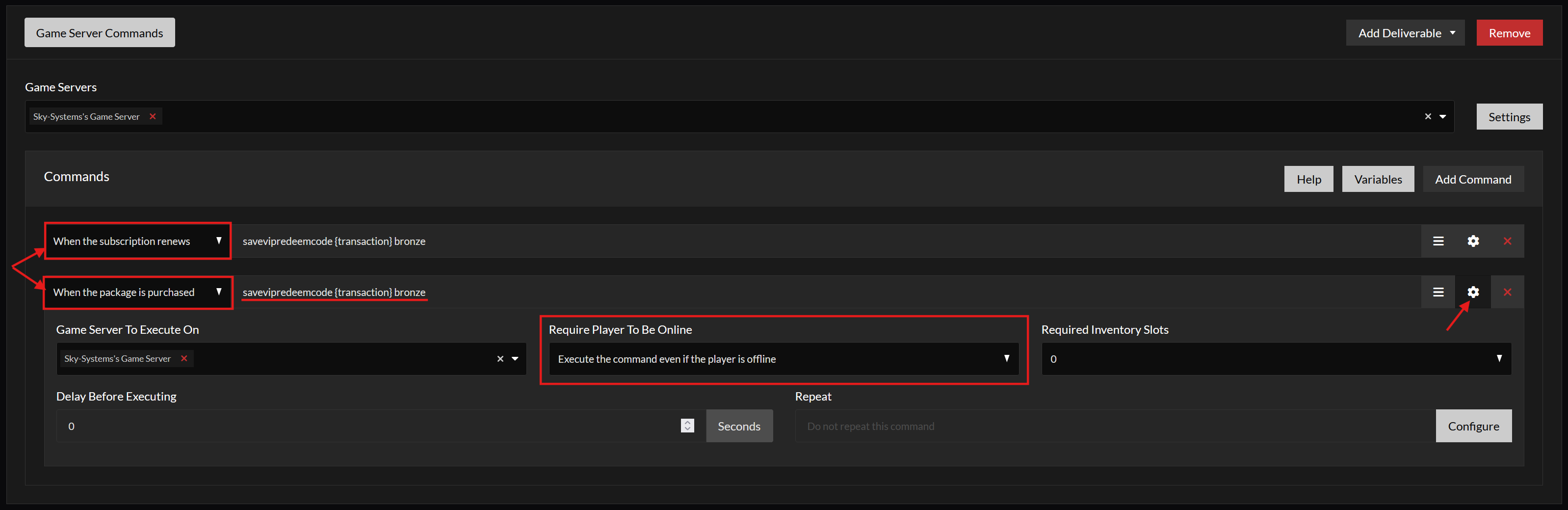
- Add the command below:
savevipredeemcode {transaction} tierIdtierIdis the id (not the label) defined in your config. - Click on the settings icon on the right
- Select your game server again here and make sure that the command is executed even if the player is offline (if you require the player to be online and the player is online, it may not work)
- Repeat this process with a second command but set Execution to When the subscription renews.
This ensures players can claim their VIP again every renewal.
Player Claim Flow
Players must claim their payment id each month after the subscription renews to continue their VIP tier in-game.