
Browse docs
Robberies and Pickpocketing
What players can do
Players can rob configured shops, break into supported ATMs, and pickpocket suitable street NPCs. Each activity has its own settings under Robbery in /jobconfig → Crime System. These activities do not need a Heist Creator scenario.
Prepare shop robberies
Check the shop locations
Open /jobconfig → Crime System → Robbery → Shop Robberies. Enable the feature and review the shops and cash registers. Each register must be assigned to the correct shop. Visit the locations on your server: a custom MLO may move the clerk, register, safe, or floor.
Choose the opening methods
Decide whether the clerk must be intimidated before players can loot. For each safe, allow code, drilling, hacking, or a combination. Code and drilling are enabled by default; hacking is off.
Keep at least one intended route available. A safe with all opening methods disabled cannot be opened.
Provide the tools and set rewards
Drilling uses vault_drill; hacking uses hacking_device. Both are reusable by default. Add them to your inventory and provide a way for players to obtain them.
Review register and safe payouts, minimum police count, and cooldown. Defaults are 200–500 cash per register, 1,000–2,500 per safe, no minimum police count, and a 30-minute cooldown. Save your changes before testing.
Players threaten the clerk with a firearm until the progress finishes, normally after 8 seconds. If the code route is enabled, the clerk gives a code note; close it with Backspace. At the register or safe, choose the robbery action from the shared radial menu or your configured target interaction. Players start drilling at the safe, not by using the drill in their inventory.
If you turn off the clerk requirement, registers and enabled drilling/hacking routes can be accessed directly. The code still comes from intimidating a clerk. Killing the clerk removes that route, while enabled drilling or hacking remains available.
Each loot point pays once per robbery. Restarting the resource resets shop cooldowns, so do not use restarts as a normal gameplay reset.
Prepare ATM robberies
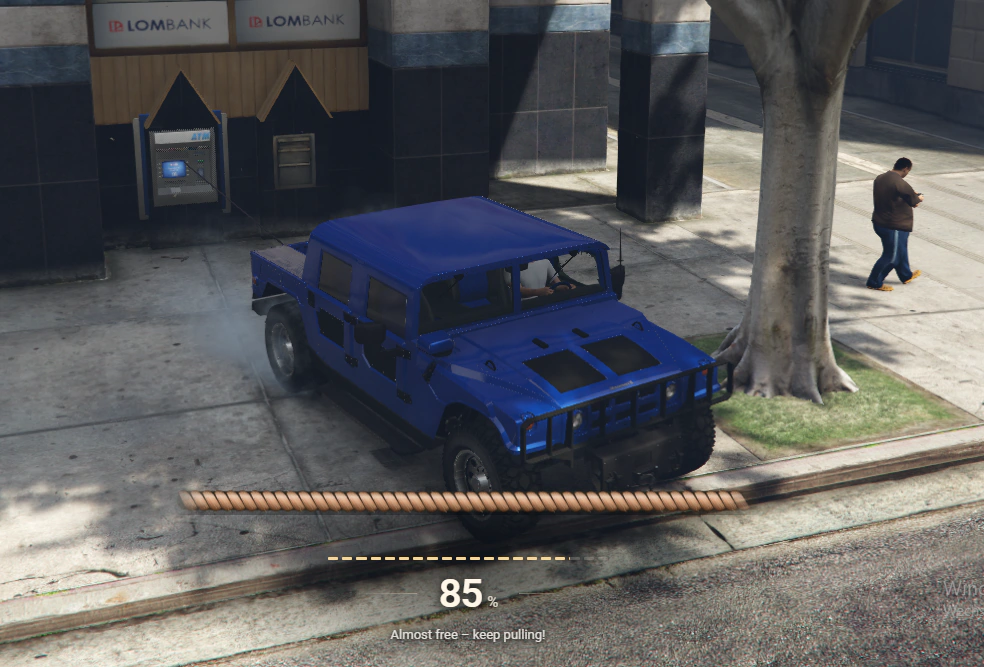
The vehicle-pull and explosive methods share the ATM state but use different tools and player actions.
Open /jobconfig → Crime System → Robbery → ATM Robbery and check that it is enabled. ATMs are available through the shared radial menu, including for players who are not Crime members.
Automatic location discovery is enabled by default and supports four standard GTA ATM models plus the optional Roxwood model amb_prop_pine_atm—five configured models in the shipped setup. Choose manual locations if only selected ATMs should be available. An administrator can use /atmtest beside a supported ATM to inspect it and obtain a location entry; save the intended location in your settings.
| Method | Item to provide | Player action |
|---|---|---|
| Vehicle pull | recovery_sling, reusable by default | Attach the rope to the ATM and vehicle, pull it free, then open the money compartment at the original wall position. |
| Explosive | explosive_charge, consumed | Place the charge, move clear, then loot the opened ATM. |
The default requires two qualifying police members and pays 3,000–8,000 cash. Check these settings before testing on an empty server. A weak vehicle may struggle to pull the ATM; hard impacts can damage the vehicle or break the rope.
Loot is available for 15 minutes by default. After looting or expiry, that ATM remains empty until the resource restarts.
Prepare pickpocketing
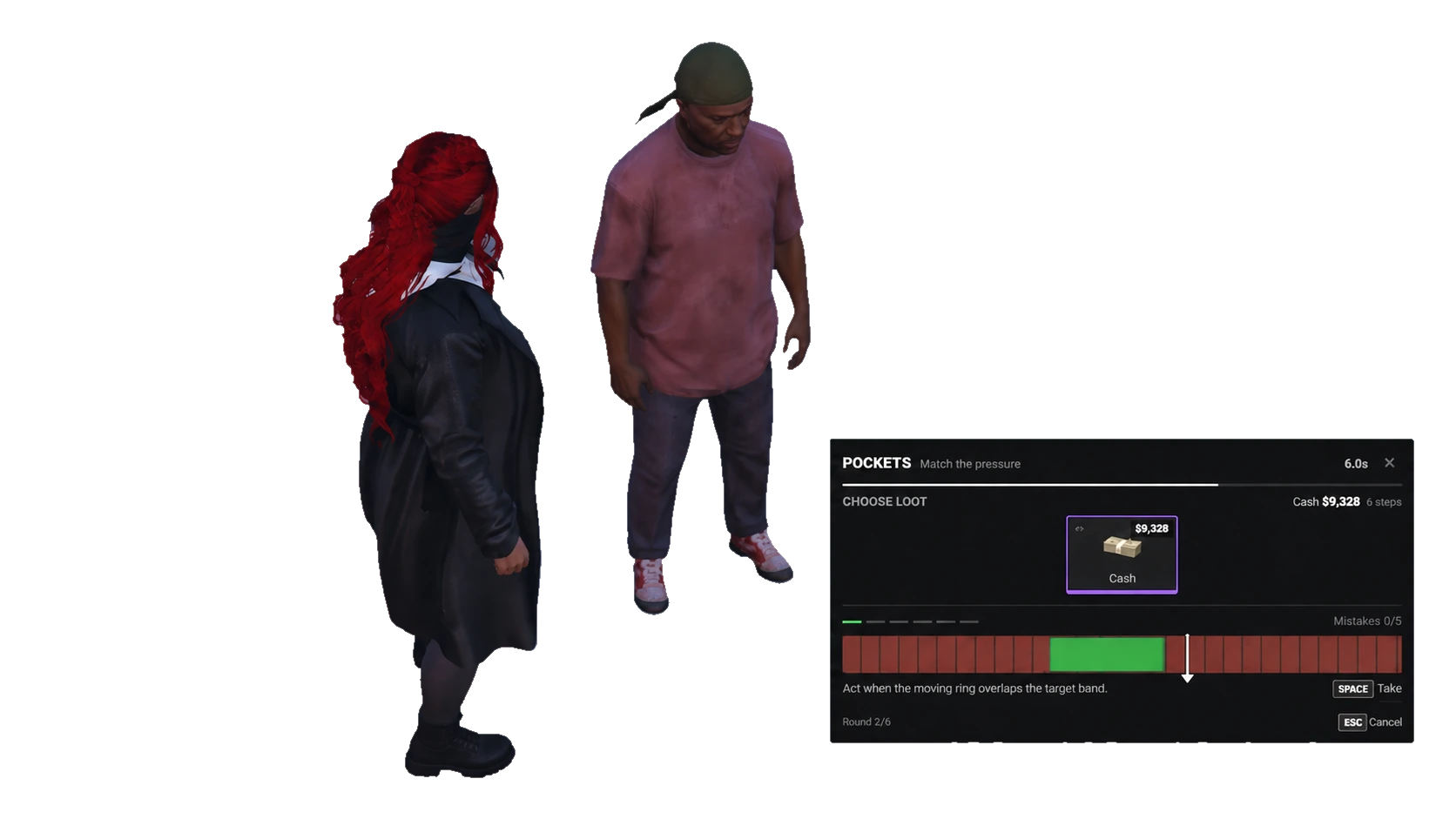
Suitable ambient NPCs expose one attempt with a visible loot choice and configured failure consequences.
Open /jobconfig → Crime System → Robbery → NPC Pickpocketing. Enable the feature and keep the Crime-membership requirement enabled for the normal radial/target setup. Turning that requirement off removes the built-in action; it does not make pickpocketing public.
Players need Crime membership but no pickpocket tool item. They target a suitable street NPC, choose one visible loot slot, and complete its minigame. Shop clerks and other players are not suitable targets. Valuable loot can require a longer challenge.
Review difficulty, cash rewards, empty-pocket chance, and optional item rewards. Defaults are normal difficulty, 10% empty pockets, 100–10,000 cash, and no item loot. Reduce or adjust that cash range to suit your economy.
A successful or empty search cannot be repeated on the same NPC. Failed attempts can cause fleeing, aggression, or a police call, depending on your settings.
Connect police alerts
The minimum police count controls whether a robbery may start. The alert recipient settings control who should be notified. Check both; allowing a robbery with no police online does not prove alerts are connected.
If you use a third-party dispatch resource, its Crime integration must be configured in config/functions.lua. Setting a police group name alone does not connect that resource. Test with an officer using your actual dispatch system before opening robberies to players.
Optional NPC police responses are disabled by default. Their settings are under Robbery → NPC police support. Enable and test them separately after ordinary robberies work. If you use sky_firejob, you can also configure fires from supported ATM and heist explosions.
Quick test
- Give a test player the enabled robbery tools and a firearm. Meet the configured police requirement, or temporarily lower it on your test server.
- Intimidate a clerk, loot a register, and open a safe. Check the payout and confirm the same loot point cannot pay twice. Test other enabled safe methods on separate robberies.
- Test the vehicle-pull and explosive methods at two fresh ATMs. Check item use, loot, and that an emptied ATM cannot pay again.
- As a Crime member, pickpocket suitable NPCs. Check the success reward and the configured failure response; an already searched NPC should not provide another reward.
- Confirm the officer receives the intended alert, then restore your launch police requirements, payouts, and cooldowns.
Use Inventory Items and Troubleshooting for the next checks.