
Browse docs
Territories and Graffiti
What players can do
Organizations gain territory through activity. Street areas reward presence, graffiti, and drug sales; supply areas reward production. Owners can receive better sale prices or faster production.
Graffiti also lets players place text, drawings, and approved images around the map.
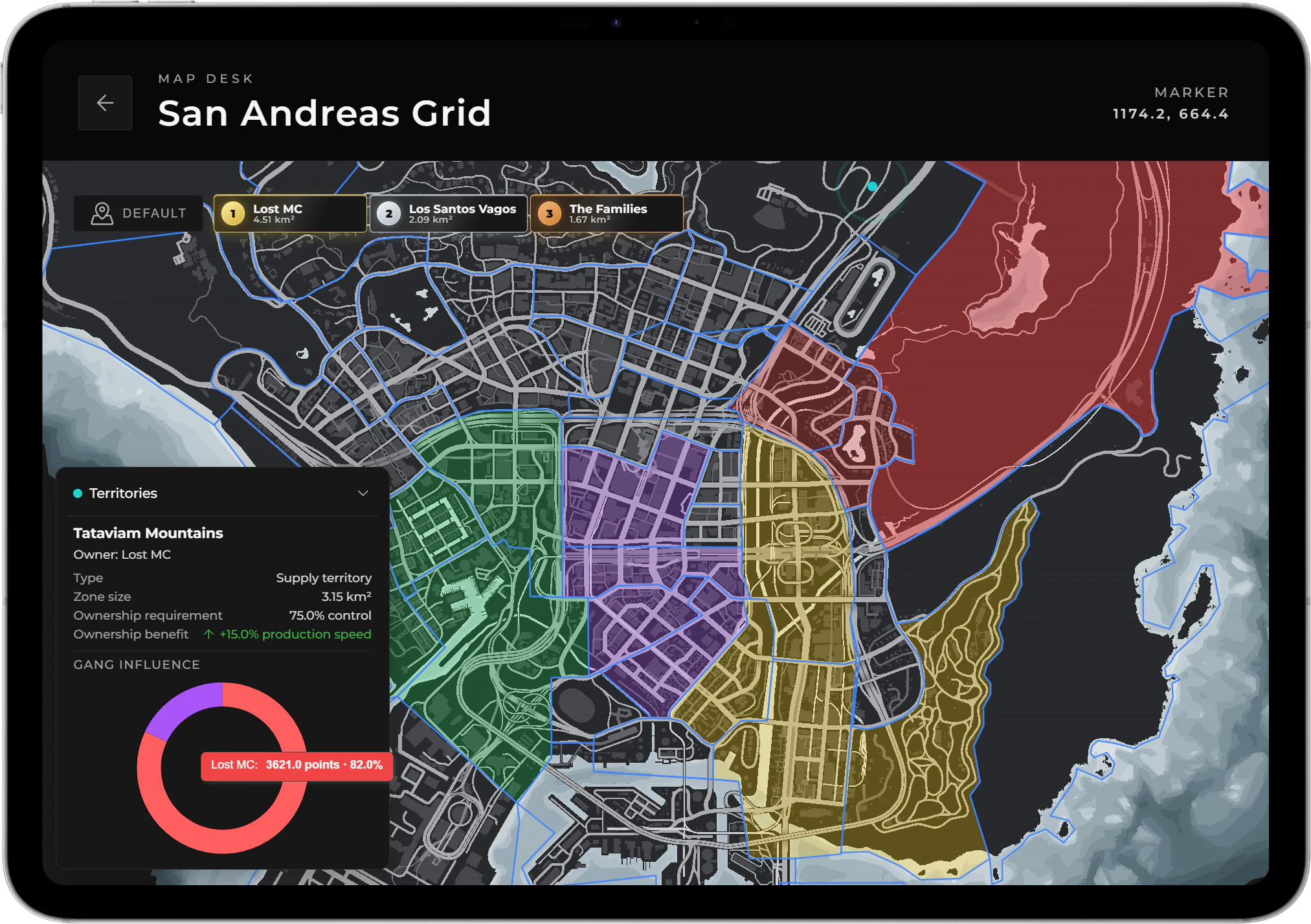
Territory ownership combines configured map boundaries with live organization activity.
Set up the territories
Choose your map areas
Open /jobconfig → Crime System → Territories. Set Zone source to preset districts or custom territories, then choose Edit territories. Only the selected source is active; custom territories do not run alongside the presets.
Choose the activity for each area
Select a preset district, or create a custom territory and place at least three boundary points on the map. Set its type to Street or Supply. For a preset district, leave Shown on map enabled: turning it off also removes that district from the active territories.
Use street areas where members spend time and sell drugs to NPCs. Place production inside supply areas. An activity outside the matching area does not contribute to that territory.
Set how difficult ownership should be
Review the activity floor, ownership percentage, and daily influence decay. The activity floor is the minimum total influence needed before the area can have an owner. It scales with area size by default. For an easier first test, turn off size scaling and choose a small fixed floor, then restore your intended values after testing.
Review the rewards
Set the street-selling and supply-production bonuses. Both are 15% by default. Save the territory in the editor, then save the configurator changes. Test one area before balancing the whole map.
Why an area may have no owner
A street territory needs both presence and NPC drug sales. Presence includes members spending time there and graffiti activity. The lower of those two totals counts as the organization's influence: 10 presence points and 3 sales points count as 3 influence points. Spraying alone or selling alone is not enough.
An area also needs enough total activity before anyone can own it. Once that minimum is reached, an organization must have more than 75% of the influence with the default settings. Leading the area does not necessarily mean owning it yet.
Presence is recorded every 15 minutes by default. In supply areas, drug production provides the influence instead. Old influence loses 5% per day by default, so an inactive organization can gradually lose its advantage.
Prepare graffiti
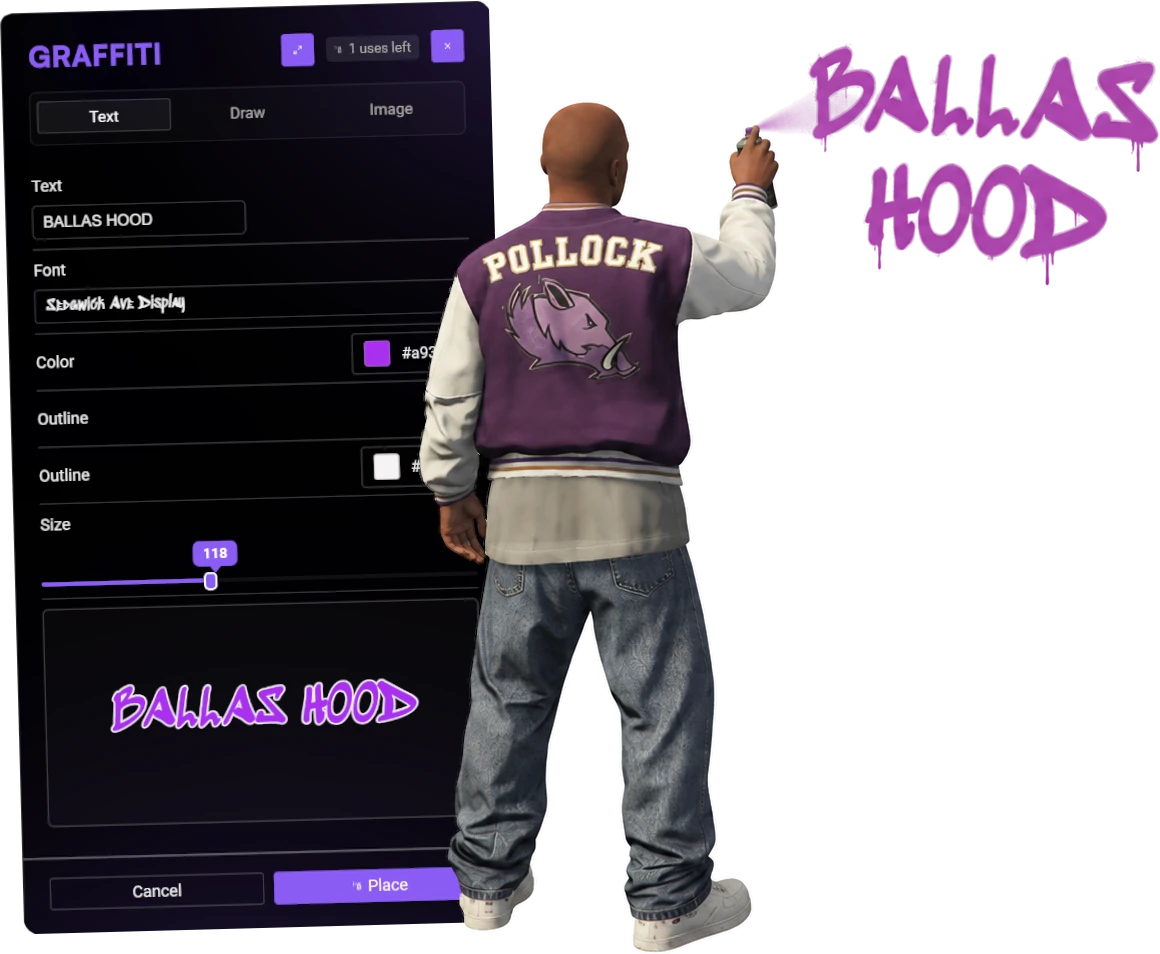
Graffiti contributes presence but remains its own moderated content system with item charges, reports, host restrictions and expiry.
Open the Graffiti settings in /jobconfig → Crime System, enable the feature, and choose who can spray. It is open to everyone by default; set the allowed group to crime if only Crime members should use it. crime means all configured Crime organizations, not a gang named “crime”.
Provide these Inventory Items:
spray_canfor placement; the default can has one charge.paint_removerfor cleaning.
Players use the spray can or /graffiti, choose their design, and place it on a suitable surface. The command still follows your item and access requirements.
Defaults allow 10 graffiti per player with 14-day expiry. Images must use an approved host; the supplied host is r2.fivemanage.com. Add your image host if needed. Protect areas where spraying should be blocked.
Players can clean their own graffiti. Remover alone does not allow them to remove another player's work. Reports use /graffitireport; staff can review, hide, or remove entries with /graffitiadmin. Automatic hiding is set to three reports by default.
Quick test
- Enter your test street territory as a member, place a graffiti, and sell drugs to NPCs inside its boundary. Check that the organization's presence and sales both increase.
- Reach the test activity floor and the required ownership share. Check that the area gains an owner and the street-selling bonus applies there.
- Complete production inside a supply territory and check that it contributes there.
- Place a spray, reconnect, and check it remains. Confirm the item charge was used, then clean your own spray with remover.
- Check that protected areas and unapproved image hosts block placement, and that staff can review a reported spray.
See Troubleshooting if activity or access does not behave as expected.