
Browse docs
Configuration
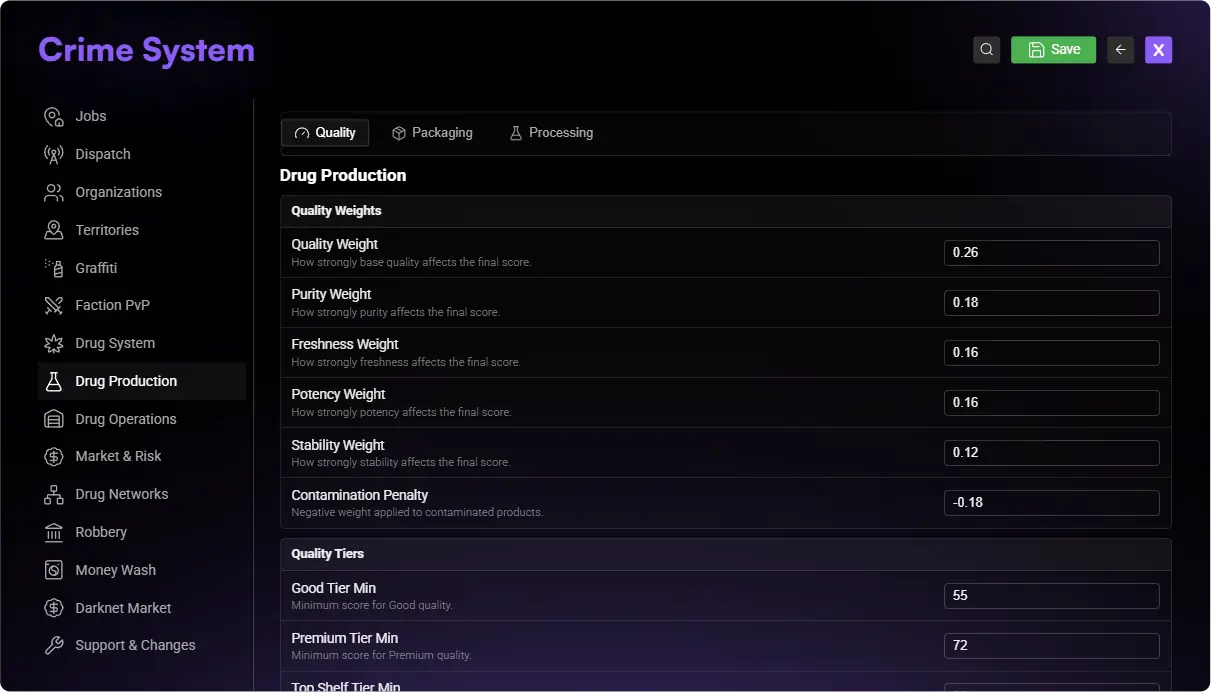
Use the in-game editors as the primary source for saved server configuration. Lua files remain the source for startup values and advanced settings that are not exposed in an editor.
Where do I change things?
| What you want to change | Where to go |
|---|---|
| Organizations, access, shared locations, and general gameplay settings | /jobconfig → Crime System |
| Drugs, seeds, collection areas, recipes, equipment, and labs | /drugcreator |
| A heist's preparations, doors, security, and loot | /heistcreator |
| Administrator groups or startup settings | sky_crimesystem/config/config.lua |
Start with the in-game editors. You do not need to edit Lua files to perform most everyday setup.
Why did my config-file change do nothing?
With the default Config.UseJobConfigurator = true, use /jobconfig for the settings it offers. Saved values take priority over matching config-file values; some settings also start from fixed shipped defaults.
For example, if you saved a robbery requirement in /jobconfig, change it there again. Editing the file alone may leave the saved setting in place.
After a change:
Save in the owning editor
Use Job Configurator, Drug Creator or Heist Creator according to the first table.
Reopen and verify
Close and reopen the editor. Confirm that the stored value matches what you intended.
Start fresh gameplay
Create a new plan, plant, order or other activity and test it as a regular player.
Already-created heist plans or purchased facilities may keep information from when they were created. Use a new plan when testing a changed heist.
Importing a config file
If you deliberately want to apply your local config-file values to the saved setup, use:
/jobconfigimport sky_crimesystem
The import uses the file values loaded when Crime System started. After editing a file, restart Crime System during maintenance before running the command.
Back up first. This imports organizations and the general settings and interactions that Crime makes available for import. It can replace several saved settings at once. Organizations created only in /jobconfig are retained. It does not import the Drug Creator catalog or heist files. Reopen the relevant editor afterward to check the result.
/jobconfigimport is a bulk migration tool, not the normal way to change one field. Record the current membership model and create a database backup before using it.The import also restores Framework job / gang membership and migrates existing members to that model. If your server uses independent organizations, make ordinary changes in /jobconfig instead. After an intentional import, check Organizations → Membership and use /crimejobtest <playerId> to verify member access.
Restore shipped defaults replaces this resource's saved organization setup and settings with its registered defaults and clears its configuration history. It also restores framework membership. Organizations outside the registered defaults are removed, which can remove their independent memberships. It leaves placed locations in place and is not a reset of player-owned labs, plants, or heist plans. Use it only when you intend to rebuild the organization setup.
Files you may need
These paths are inside the installed sky_crimesystem folder.
| Files | Purpose |
|---|---|
config/config.lua | General settings, commands, organizations, and main features |
config/base_raids.lua | Base-zone raids, items, defender requirements, loot, vehicles and cooldowns |
config/reputation.lua | Personal Crime reputation levels, admission threshold and activity rewards |
config/interrogation_*.lua | Interrogation objects, grabbing, sessions, tools, presentation and settings |
config/drugs.lua and config/drugs_*.lua | Drug defaults, grouped by growing, labs, campers, sales, and other topics |
config/moneywash.lua | Money wash business defaults; the feature is disabled in the current release |
config/heists/*.json | Supplied heist files |
config/heist_exports | Heist files exported by the creator |
config/locales/*.lua | Crime translations |
The language follows your Sky Base language setting. Text inside the shared Job Configurator belongs to the Crime translation files in Sky Jobs Base.
Balancing your server
First make one complete activity work. Then adjust its costs, time, rewards, and risk.
For drugs, include materials, equipment, upkeep, and packaging. For heists, include preparation costs and the whole crew's reward. Test the result before changing several other values at once.
Continue with First Setup, Drug Creator, or Heist Creator.