
Browse docs
Laws & Offence Catalogue
Legal books and offences
The Legal Codes app stores your server's legal texts as books with revision history. The Offence Catalogue stores structured penalties that staff can select and total. These are separate records: changing a paragraph does not automatically change an offence's fine or jail value.
Setup and permissions
Keep Config.ToggleFeatures.tablet, legalCodes and offences enabled. In /jobconfig, select the DOJ job and allow the relevant tablet apps for the intended grades. Assign Manage legal codes to staff who maintain books and Manage offences to staff who maintain the catalogue. Read access does not by itself permit changes. The normal tablet duty requirement still applies.
Saved Job Configurator values take priority over fallback defaults in config/config.lua. See Configuration and Permissions before assigning access to a production department.
| Default | Value | Purpose |
|---|---|---|
Config.LegalCodes.item | doj_law_book | Inventory item used for a fixed legal-code edition. |
maxBookTitleLength | 160 | Maximum book-title length. |
maxAbbreviationLength | 16 | Maximum abbreviation length. |
maxContentBytes | 1,048,576 | Maximum saved content size per book. |
maxRevisionSummaryLength | 255 | Maximum change-summary length. |
Config.Offences.maxSelection | 50 | Maximum offence selection submitted to the calculator. |
Config.Offences.mirandaWarning | Empty | Custom Miranda warning; empty uses the standard text in the selected language. |
Maintain a legal book
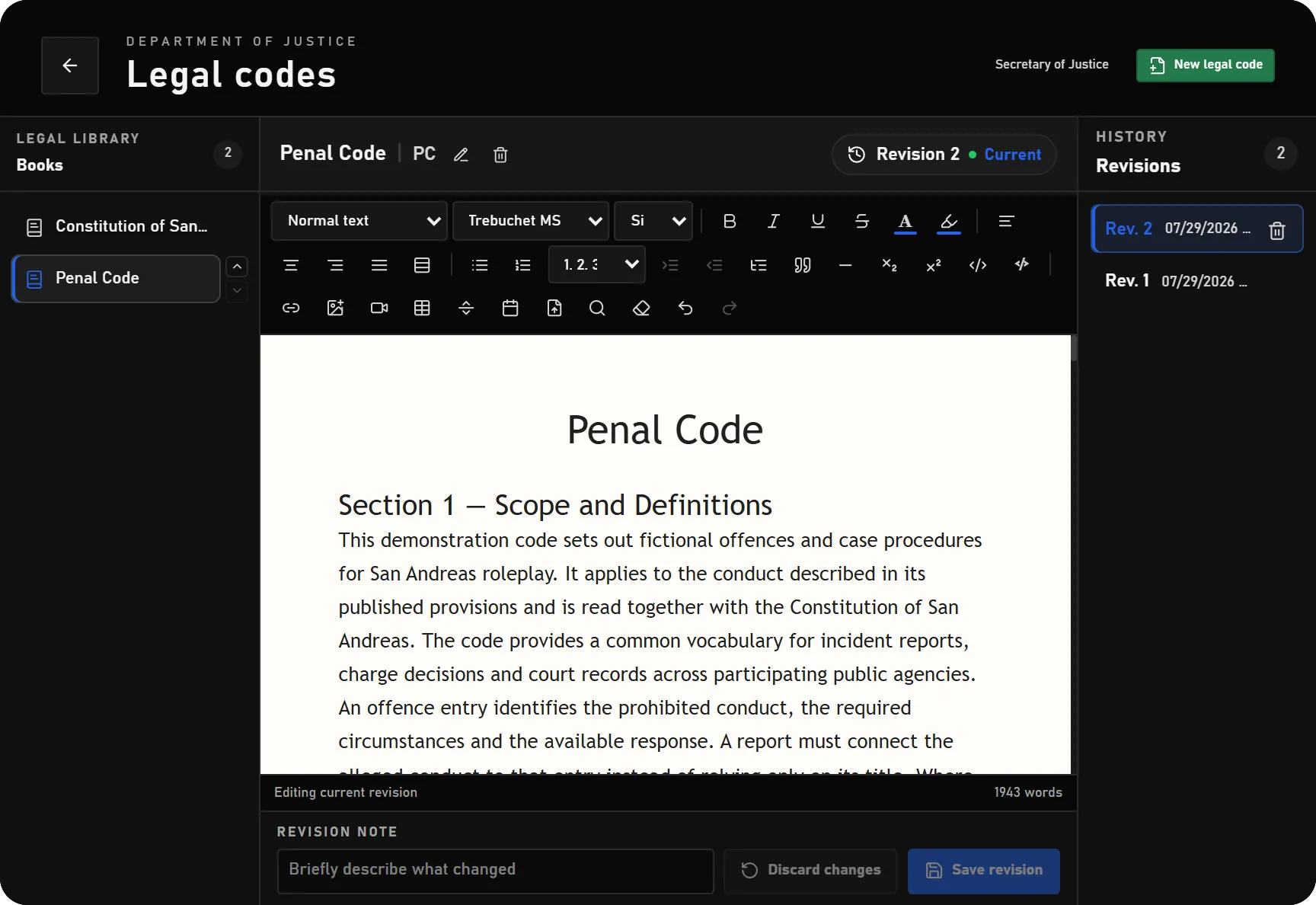
- Open Legal Codes and create a book with its title and abbreviation.
- Add and organise the legal text in the editor. Supported tools include headings, paragraphs, lists, tables, links, images, find/replace and DOCX import.
- Check the reader presentation, then save the revision with a useful change summary.
- Use the history list to inspect earlier revisions. A save includes the version you opened; if another editor has changed the book, resolve the conflict against the current version before saving again.
- Keep related offence entries up to date separately when the penalty rules change.
Saving a new current revision updates the public legal text. There is no separate draft, legal approval and publication workflow for law books. Prepare unfinished proposals outside the public legal book until they are ready. Older history entries are available to authorised editors; the public collection reads the current version.
DOCX import converts supported content into the editor's own format. Check headings, tables and pagination after importing; it is not a pixel-perfect Microsoft Word viewer.
Public reader and inventory editions
Place a Public legal code interaction under the courthouse's locations in /jobconfig. Citizens can use this point to read the current collection without a DOJ employee account.
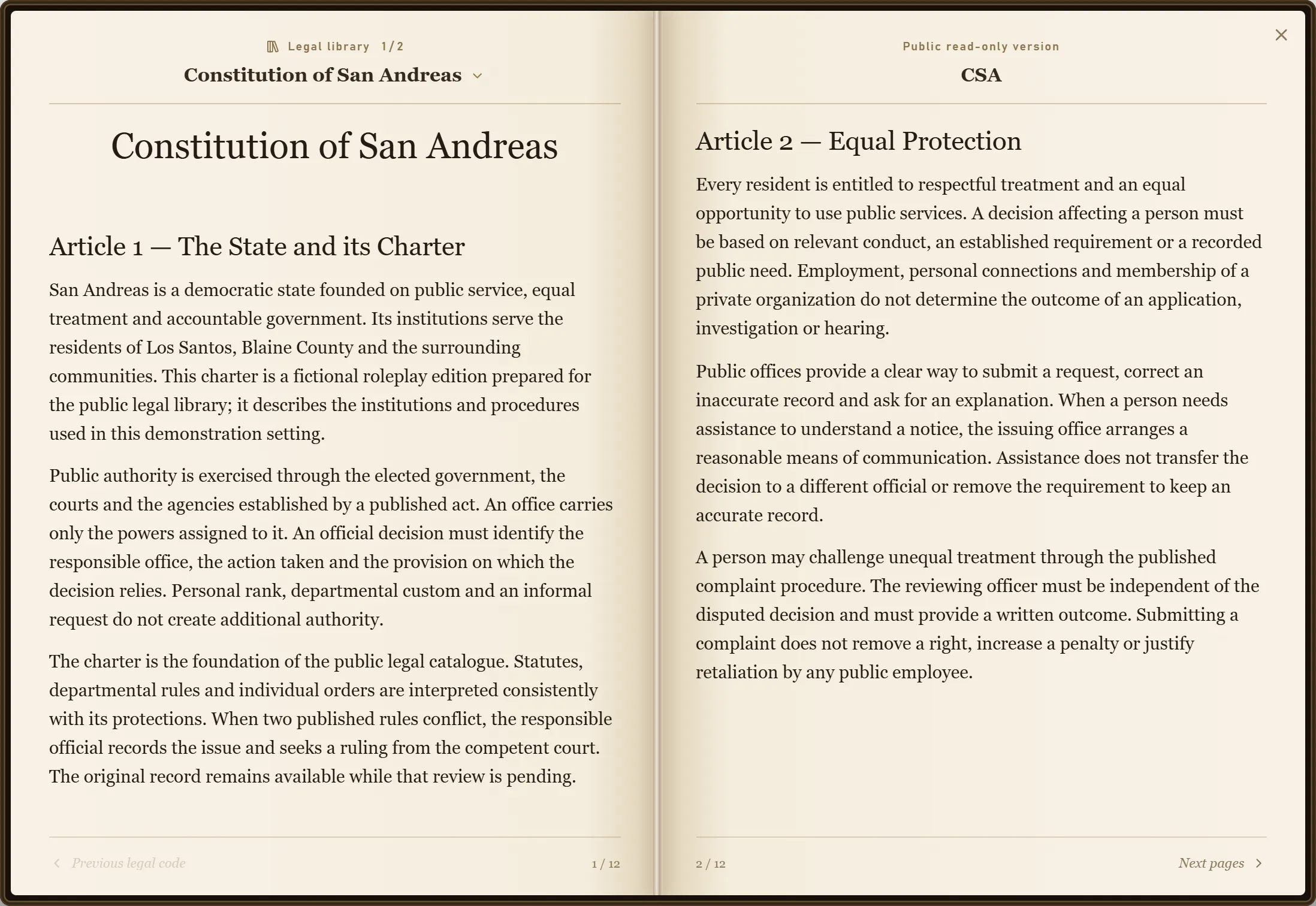
The doj_law_book inventory item behaves differently: its first use captures the current collection as a fixed edition and stores the edition reference in that item's metadata. Later law edits do not rewrite the carried copy. The edition remains readable from its archive even if the editable book changes.
Use an inventory provider that supports per-slot item metadata. Keep law books as individual, non-stacked items. Existing inventory definitions are preserved during item registration, so an older stacked definition may need correction. If a player has a stack, split it before the first use. A player must still possess the edition item to read its archived content.
Configure the offence catalogue
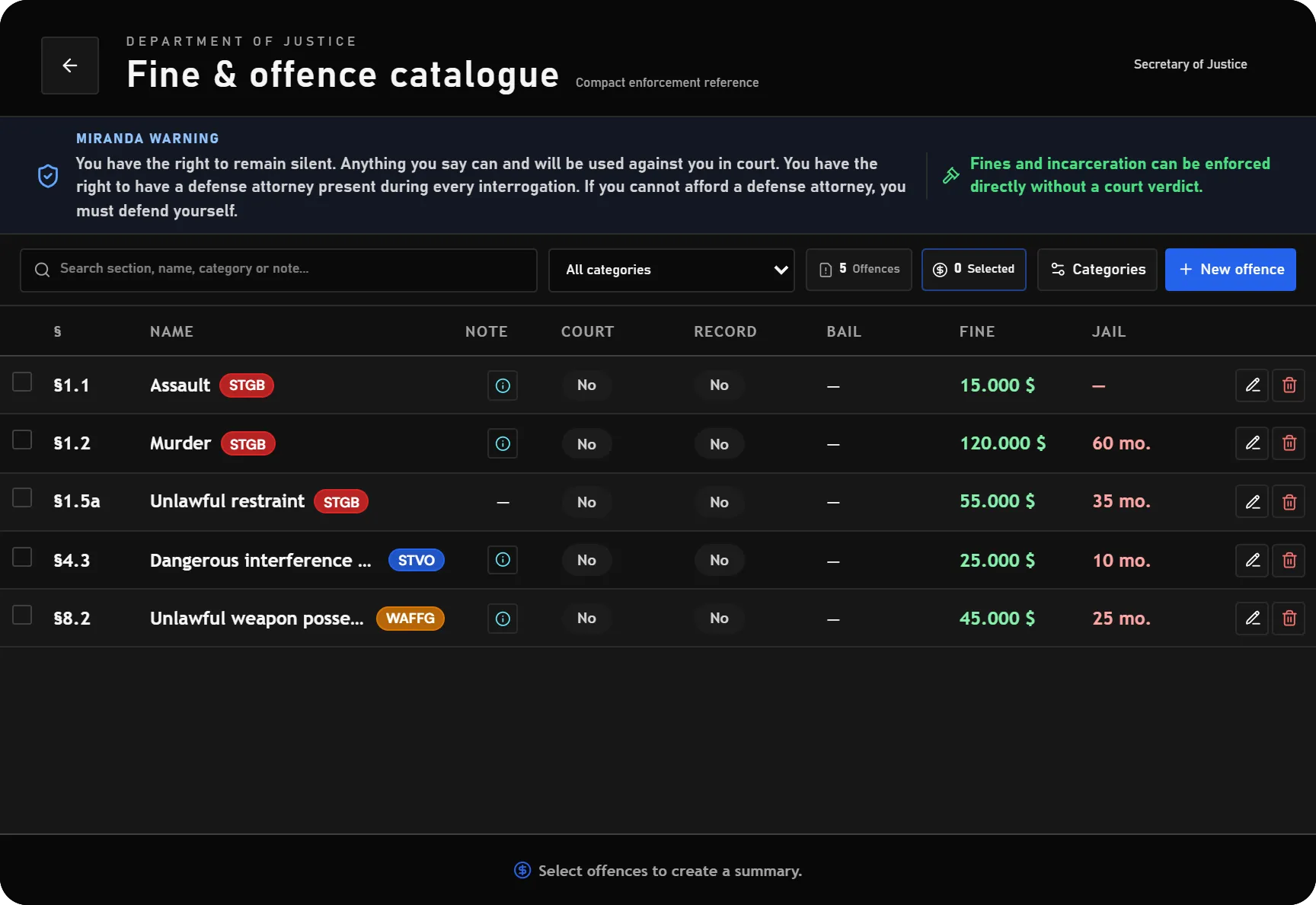
Create categories with a name and colour, then assign offences to them. Each offence has an identifier/law reference, name, type, notes and these structured values:
| Field | Meaning |
|---|---|
| Fine | Monetary penalty used by the calculator. |
| Jail months | Custody value used by the calculator. |
| Community service hours | Service value used by the calculator. |
| Court required | Flags that the offence needs court review. |
| Criminal record | Records whether the offence should be treated as a criminal-record offence. |
| Bail | Optional bail amount displayed with the offence. |
Select offences to calculate their combined fine, jail and community-service values. The calculator also reports how many selected offences require court review. Repeated copies of the same offence ID are deduplicated; this is not a quantity-based charge multiplier.
The calculator calculates figures; it does not issue a bill, imprison a citizen or create a judgment. Ordinary Police fine and custody workflows remain available without requiring a DOJ verdict first. A court-review flag does not disable direct enforcement.
An in-use category cannot simply be removed. Reassign its offences first. After changing the catalogue, verify the result in both the DOJ view and any configured Police integration.
Custom Miranda warning
Open /jobconfig → DOJ → Fine catalogue → Catalogue guidance and edit Miranda warning. The field supports multiple lines. Save the settings to update the warning in an open catalogue without clearing the current selection. Leave the field empty to restore the standard text in the selected language.
With the Job Configurator disabled, set Config.Offences.mirandaWarning in config/config.lua and restart the resource. The warning is displayed as plain text; HTML is not rendered.
Operational checks
| Symptom | Check |
|---|---|
| An editor can read but cannot save | App access, duty and the matching management permission. |
| Citizens see text that was meant to remain a draft | Saving the current legal-book revision makes it the public version. |
| A carried book still shows an older law | This is expected for a fixed edition; obtain a new item for a new edition. |
| First use of a law book fails | Item metadata support, stack size and whether the collection contains a saved book. |
| Calculator and prose disagree | Legal text and offence values are maintained independently. |
For document-based warrants and signed court orders, see Documents & Signatures. Integration contracts are listed under Server Exports.