
Browse docs
Tebex Implementation
Add Tebex Secret Key to Your server.cfg
- Log in to your Tebex control panel.
- On the left-hand navigation menu, click Integrations and Game Servers.
- Click Instructions next to the Game Server you want to use.

- Copy the command provided and paste it into your
server.cfg. It should look something like this:
sv_tebexSecret <YourSecretKey>
Make sure to replace <YourSecretKey> with the actual secret key provided by Tebex.
Restart the FiveM server, then return to Tebex and verify the game-server connection. See Tebex's FiveM setup guide.
Create a Tebex Package
- In your Tebex control panel, navigate to Packages.
- Create a new package, for example, "Premium Battle Pass".
- At the bottom of the package creation screen, select Game Server Commands as the deliverable type.
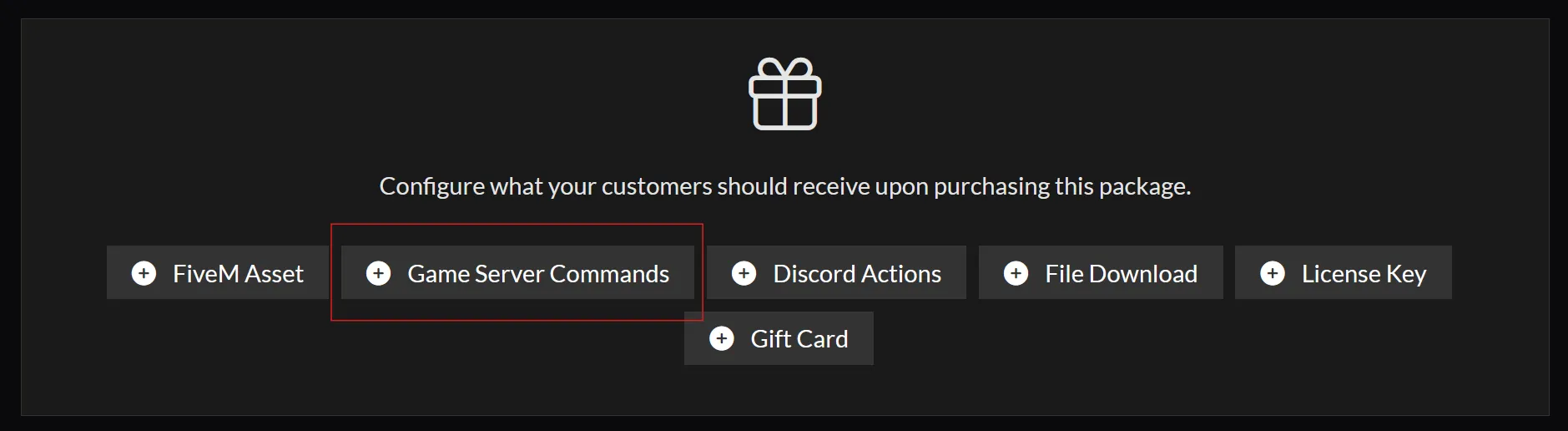
- Select your game server and click Add Command.
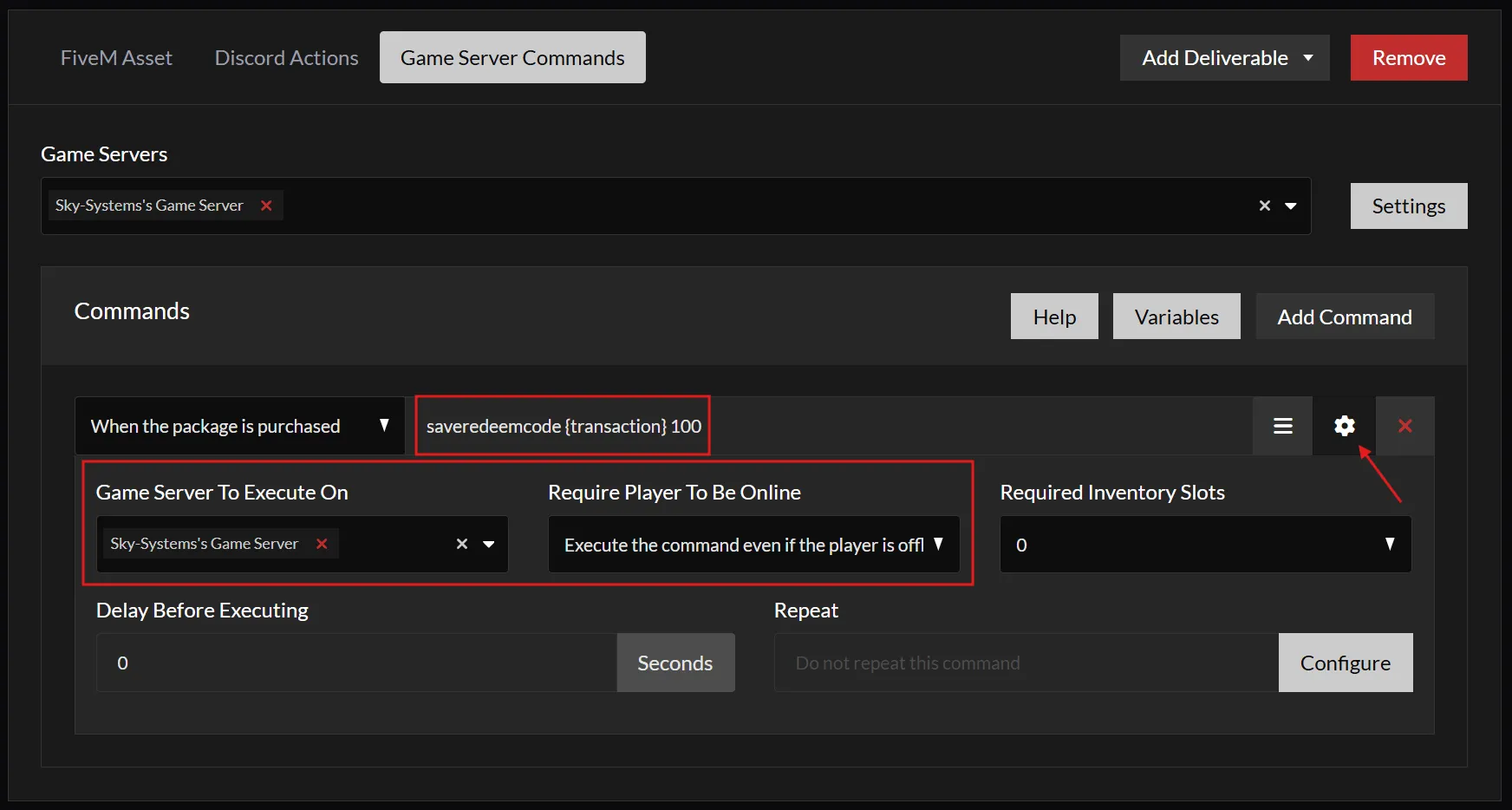
- Use the following command to deliver premium:
bpsaveredeemcode {transaction} - Open the command settings.
- Select the intended game server and allow the command to run while the player is offline. This command records the payment for the player to claim later.
- Save your package.
Test the Integration
- In the Tebex control panel, click Payments on the left-hand menu.
- Click on Create Payment.
- Enter your username under Customer and select the package you created earlier.
- After creating the payment, you should be able to claim premium in-game by using your payment ID.
Possible Problems
If players are unable to claim premium after a Tebex purchase, try the following solutions:
Wait for Processing
Problem: Sometimes there's a short delay before premium becomes available after a successful purchase.
Fix: Inform players that it can take up to 5 minutes for premium to be claimable in-game after completing the purchase.
Check Tebex Secret Key Usage
Problem: Payment commands may run on the wrong server if multiple servers use the same sv_tebexSecret.
Fix:
- Open the
server.cfgfile on all running servers. - Check that the package targets the intended game server in Tebex.
- Make sure only that server uses its
sv_tebexSecret; remove the same key from development or test servers. - Restart any server whose configuration you changed.
Custom Quests
The Battle Pass V3 allows you to define your own quests and track player progress through them. This guide will walk you through creating a custom quest using the configurator and updating quest progress in your script.
Jaksam Jobs Creator Quests
This guide explains how to connect Battle Pass V3 quests with item collection using ox_inventory and Jaksam's Jobs Creator.