
Browse docs
Creator Workflows
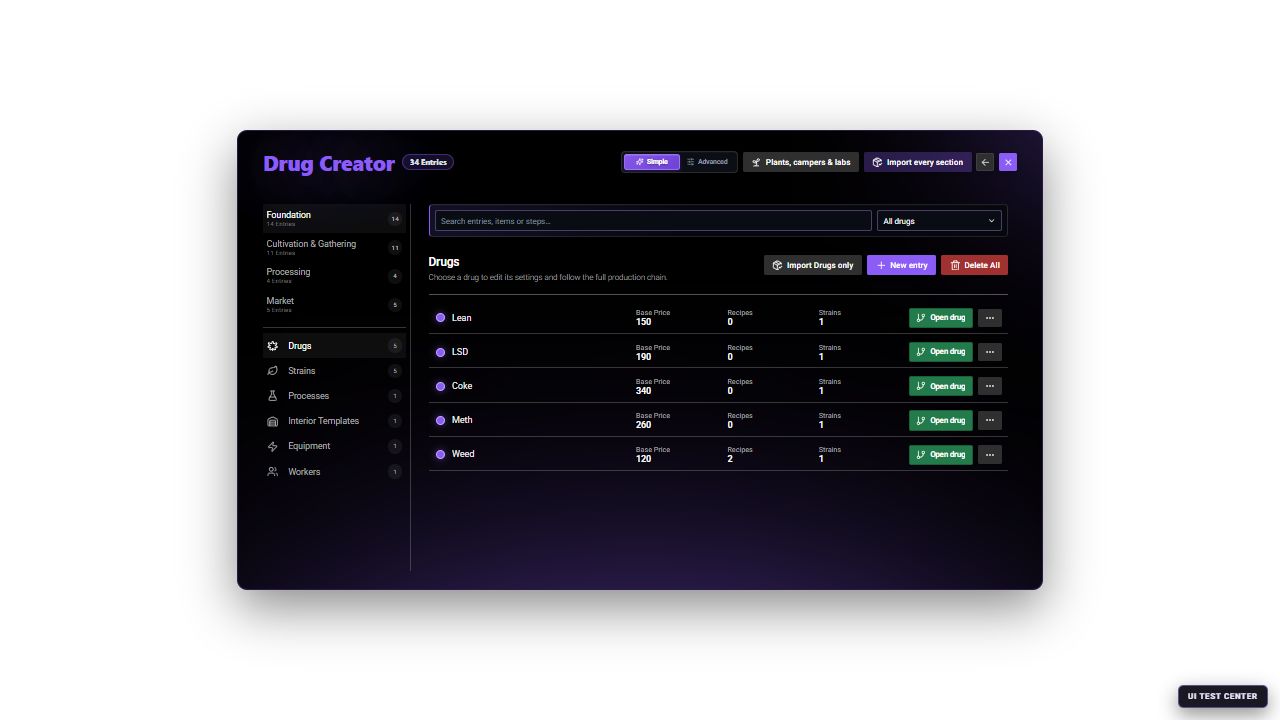
The Drug Creator stores reusable definitions and placed activities. A complete player flow normally connects entries from more than one group.
The dependency map
| Layer | Creator entries | What depends on it |
|---|---|---|
| Product identity | Drugs | Strains, processes, buyers, sales and routes |
| Cultivation identity | Strains | Seeds, planted crops and wild plants |
| Recipe | Processes | World Processing, laboratory equipment and production orders |
| Facility building blocks | Interior Templates, Equipment, Workers | Templates apply to Laboratories; compatible equipment and workers support Laboratories and Campers |
| Material source | Drug Fields, Wild Plants, Mobile Cultivation | Player inventory and later recipes |
| Production access | World Processing, Laboratories, Campers | Player processing and facility operation |
| Supply | Labor suppliers, Camper shops | Materials, tools, machines and mobile labs |
| Distribution | Street Sales, Buyers, Dealers, Sale Routes | Payouts, demand, contacts and deliveries |
Before selecting New entry
Record these values before building:
- Stable IDs for the drug, strain, recipe and world activities.
- Every input, output, seed, tool, packaging and equipment item.
- Where each item comes from and where the result can be sold.
- Whether production is public, property-based, camper-based or inventory-based.
- Required facility tier, equipment station, power and storage.
- Intended price, payout account, police requirement, heat and cooldown.
Use lowercase IDs without spaces and do not recycle an ID that has already been used on a live server.
Build a complete plant-based product
This order prevents empty selection lists and broken references.
Create the Drug
Open Foundation → Drugs → New entry. Set its display name, inventory item, weight and plant props. Configure the market baseline, default quality and consumption profile. Advanced mode exposes seed-registration details, volatility and specialist effects.
Create the Strain
Open Foundation → Strains → New entry and select the parent Drug. Set the seed item, cultivation level, growth duration, yield and finished item. In Simple mode, selecting the parent Drug copies its small, medium and large plant props into the new strain.
Create the raw-material source
Choose Drug Fields for a public harvest area, Wild Plants for spawned individual plants, or player-owned planting for a seed-driven lifecycle. The source's output item must match a later recipe input.
Create the Process
Open Foundation → Processes → New entry. Select the drug, station, input items, output item and amount, duration and required tool. Choose the exact station that the target facility or public location will provide.
Expose the recipe
For public production, create Processing → World Processing and assign the Process. For owned production, ensure the intended Laboratory or Camper can install compatible equipment for the selected station.
Supply tools and packaging
Add required items to Market → Labor suppliers, another server shop or a deliberate gameplay reward. Registration alone does not put an item into a player's inventory.
Add a sale path
Enable a matching Street Sale, Buyer, Dealer or Sale Route. Check the allowed drug, minimum quality, amount, channel, payment account and police/risk rules.
Test from zero inventory
Use a normal player to obtain every supply, collect or grow the raw material, process it, receive the exact output and complete one sale. Restart during maintenance and repeat the saved-state checks.
Create each Foundation entry
Use General for the inventory contract and plant props, Market for price/demand/risk, Quality for the starting profile, and Consumption Effects for use method, duration, cooldown and positive effects. The Drug is the parent identity referenced throughout the system.
Select a parent Drug and a unique seed item. Configure growth speed/duration, yield, potency, purity, stability, resistance and finished item. Advanced mode adds interaction and consumption overrides. A Strain does not create a public field automatically.
Define the station, inputs, consumed amounts, output and amount, duration, tool, quality multiplier and failure risk. Simple mode synchronizes a single process step with the chosen name, station, duration and tool. Use Advanced for multiple explicit process steps and quality metadata.
Select the base interior, size, access points and fixed world positions for a fixed Laboratory. Test entrance, exit and every fixed node before making a property purchasable. Campers do not select an Interior Template; they currently use the fixed Drug Wars Lab interior.
Choose the category, role, tier, watts, inventory item and prop. Categories apply appropriate Simple-mode defaults for storage, power, light, airflow, filtering, processing, packaging, quality testing, growing or security. Advanced mode exposes servicing, wear, fuel, oil and interaction details.
Choose grower, chemist, packager, security, cleaner or manager. Simple mode applies a role-appropriate skill, wage and bonus preset. Advanced mode exposes the complete condition and specialist bonus profile.
Create collection and pocket activities
| Entry | Essential setup | Advanced setup |
|---|---|---|
| Drug Field | Output items, amounts, collection mode, tool, props, quality range, radius and position | ID and full map/blip presentation |
| Wild Plant | Drug/strain, output, seed chance, plant prop, object count, respawn, radius and position | Metadata, rare seed, ground offset and police chance |
| Mobile Cultivation | Input/output, packaging, tool, duration, reward and failure | Batch quality metadata, heat, police chance and alert radius |
Read Growing and Harvesting for the full player lifecycle and placement checks.
Create a public processing location
Save the Process first
The Process must already exist and contain valid inputs, output, station and duration.
Add World Processing
Open Processing → World Processing → New entry and select the Process under Process assignment.
Choose the processing mode
Use the direct interaction for immediate player processing or configure the delayed handoff service with fee, payment account, processing time, police risk, quality bonus and active-handoff limit.
Configure presentation
Choose marker/prop/NPC presentation, interaction label and distance, and optional minigame. Advanced mode exposes the exact marker, help, target, icon and control behavior.
Place and test
Set coordinates and heading, save, then test the location with the exact required inputs and tool. Confirm the output reaches the correct inventory and retains intended metadata.
Create a fixed laboratory
Create the Interior Template, Equipment, and optional Workers first. Then add Processing → Laboratories.
| Laboratory section | Required decision |
|---|---|
| General | Interior, lab type and tier |
| Access and security | Entry lock, lockpicking, breach and presentation |
| Capacity | Equipment, shelves, storage and allowed tiers |
| Power | Capacity and optional illegal-power behavior |
| Ownership and economy | Purchase/rent, accounts, resale, private/faction ownership |
After purchase, players still need treasury funds, conversion or setup stages, equipment, storage and recipe inputs. Follow Laboratories and Production.
Create and sell a mobile laboratory
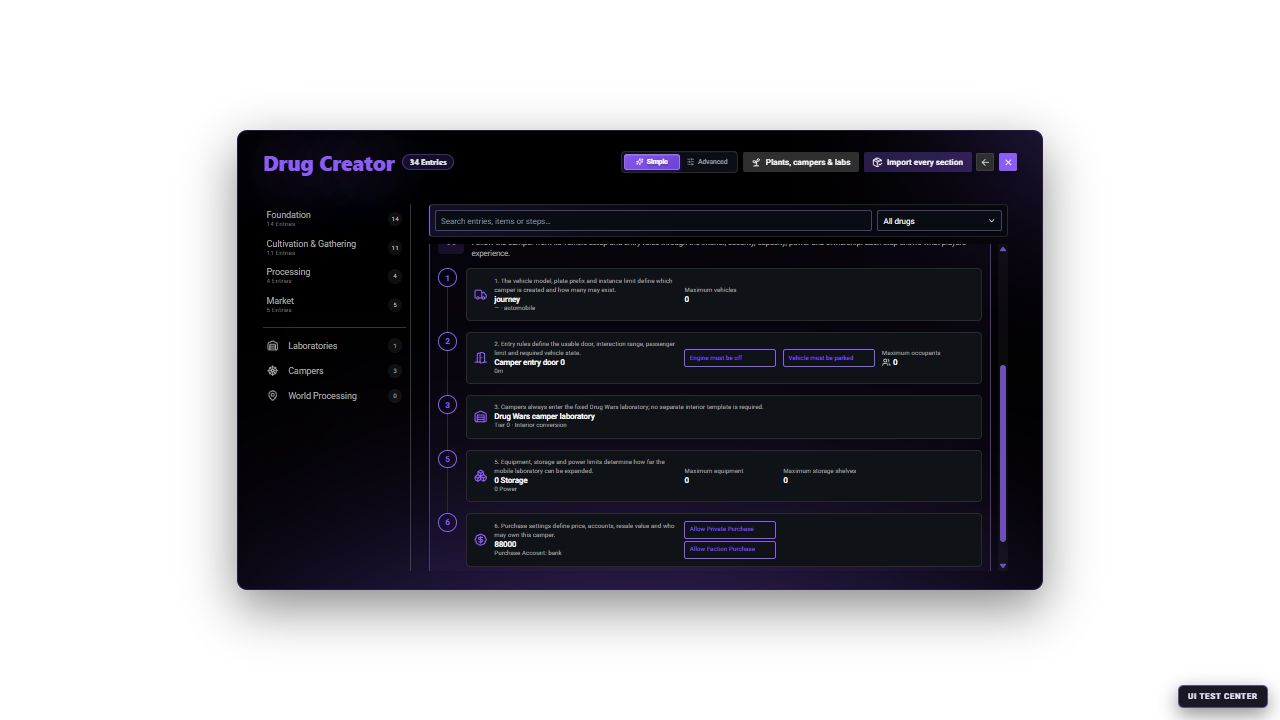
The Camper and Camper Shop are separate entries. The Camper editor creates the mobile-lab definition; a shop offer later references its saved ID.
Create the Camper
Set its vehicle model, image, plate prefix, entry door and distance, occupant and ownership limits, parking/engine requirements and restart restoration. Choose its tier, capacity and power. The displayed Drug Wars Lab interior is fixed; there is no Interior Template selector for Campers.
Configure access and economy
Choose locks, break-in and robbery behavior, private/faction purchase, accounts and resale. Advanced mode exposes exact lockpick, breach, robbery and illegal-power values.
Create the Camper Shop
Place the shop and delivery area. Add the Camper as a vehicle offer and set its price, payment method, image and purchase audience.
Complete the ownership test
Purchase the vehicle, verify plate and keys, park and enter, complete conversion, install equipment, run a recipe, move the camper and verify restart persistence.
Continue with Campers and Mobile Labs for capacity, security and player-operation details.
Create market entries
Place the supplier, choose ped/marker presentation and payment method, then add products. Every product defines item, label, category, price, purchase limit and optional stock behavior. The supplier does not create the referenced inventory items.
Define interaction, allowed products and territories, active hours, police requirement, amounts, price rules and hourly limits. Advanced mode controls detailed negotiation, heat, witness and robbery outcomes.
Set channel, preferred product, quality limits, price multiplier and demand bonus. Configure tablet access, contact unlocks, amounts, cooldown and optional ambient appearance. Advanced mode adds budget, mood, referrals, barter and undercover/informant behavior.
Configure tablet contact, locations, distribution mode, channel, score/heat limits, price cut, payment account, trust and capacity. Advanced mode enables detailed recruitment and export tuning.
Select route preset/type, channel, allowed products and cargo amounts. Configure payout, duration, police rule and payment account, then place the destination. Advanced mode controls contacts, zone, completion distance, buyer and required vehicle class.
Save and verification order
- Save and reopen every new parent entry before selecting it elsewhere.
- Resolve every validation message; Simple mode can switch to Advanced when the invalid field is hidden.
- Verify every item ID against the active inventory.
- Confirm world coordinates, radius, heading and delivery clearance in game.
- Test as a normal player without administrator bypasses.
- Verify consumed items, output, metadata, money account, heat and police alerts.
- Reconnect and perform a planned restart test for plants, facilities, campers and active work.