
Browse docs
Hunting map
Choose a hunting region, read danger and wildlife information, and check marked cages.
Open Hunting map at Bayview Lodge or use the Hunting map item from your inventory. Select a region to decide where to hunt.
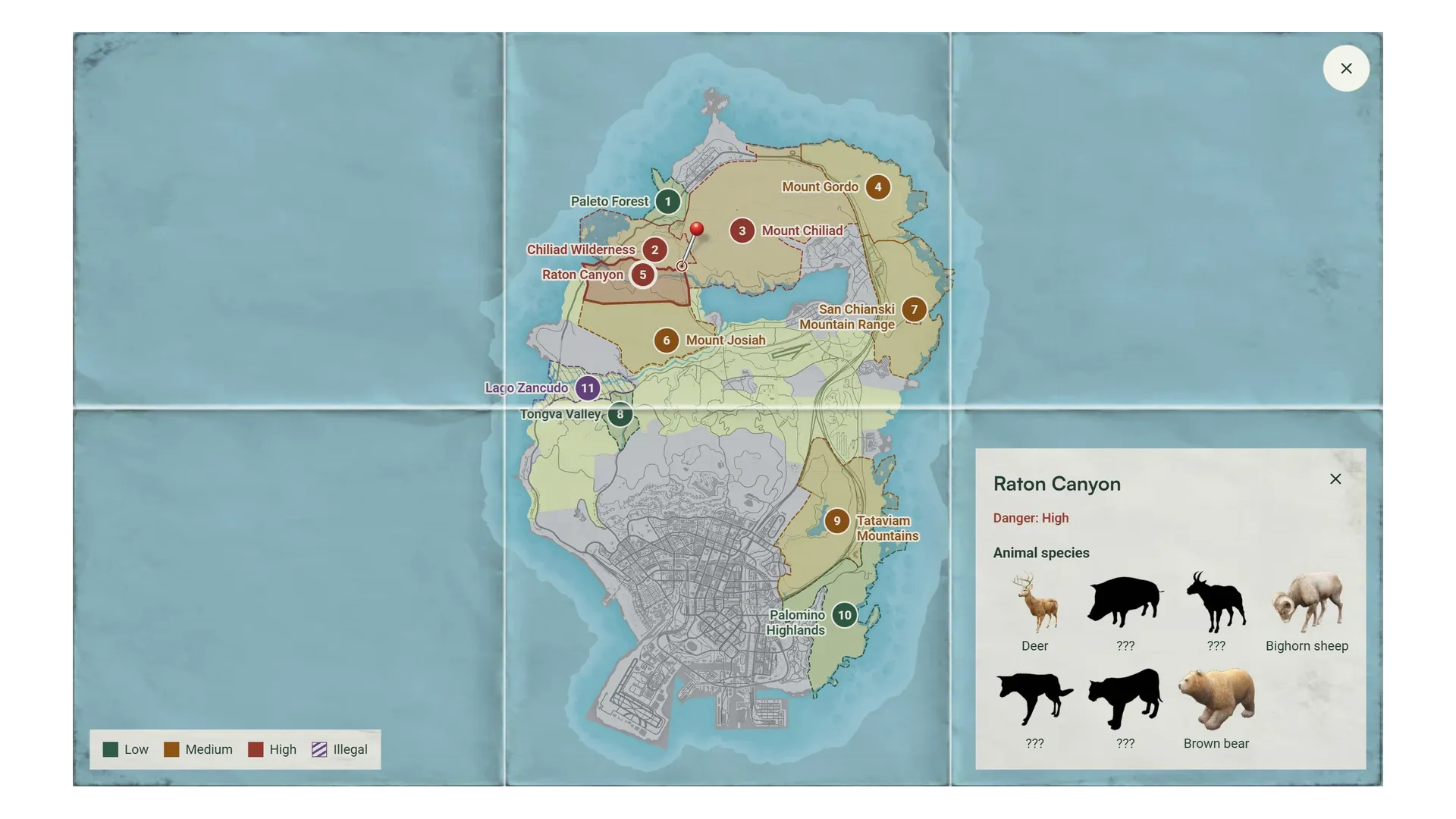
Choose a hunting region
Each region has its own danger level and wildlife pool. Undiscovered species appear as question marks. Paleto Forest is a low-danger starting region with legal game in the shipped settings.
Red hatching marks regions excluded from daily missions. Check the protected species rules before deciding where to sell a catch.
Check your cages
Unlock Catch monitoring in the Skill tree to view your placed cages and their status on the map. For the placement and collection workflow, see Reusable cages.
Server settings
Use Hunting regions in Configuration to edit boundaries and wildlife pools. Reopen the map after applying settings to check the new region.