
Browse docs
Poaching
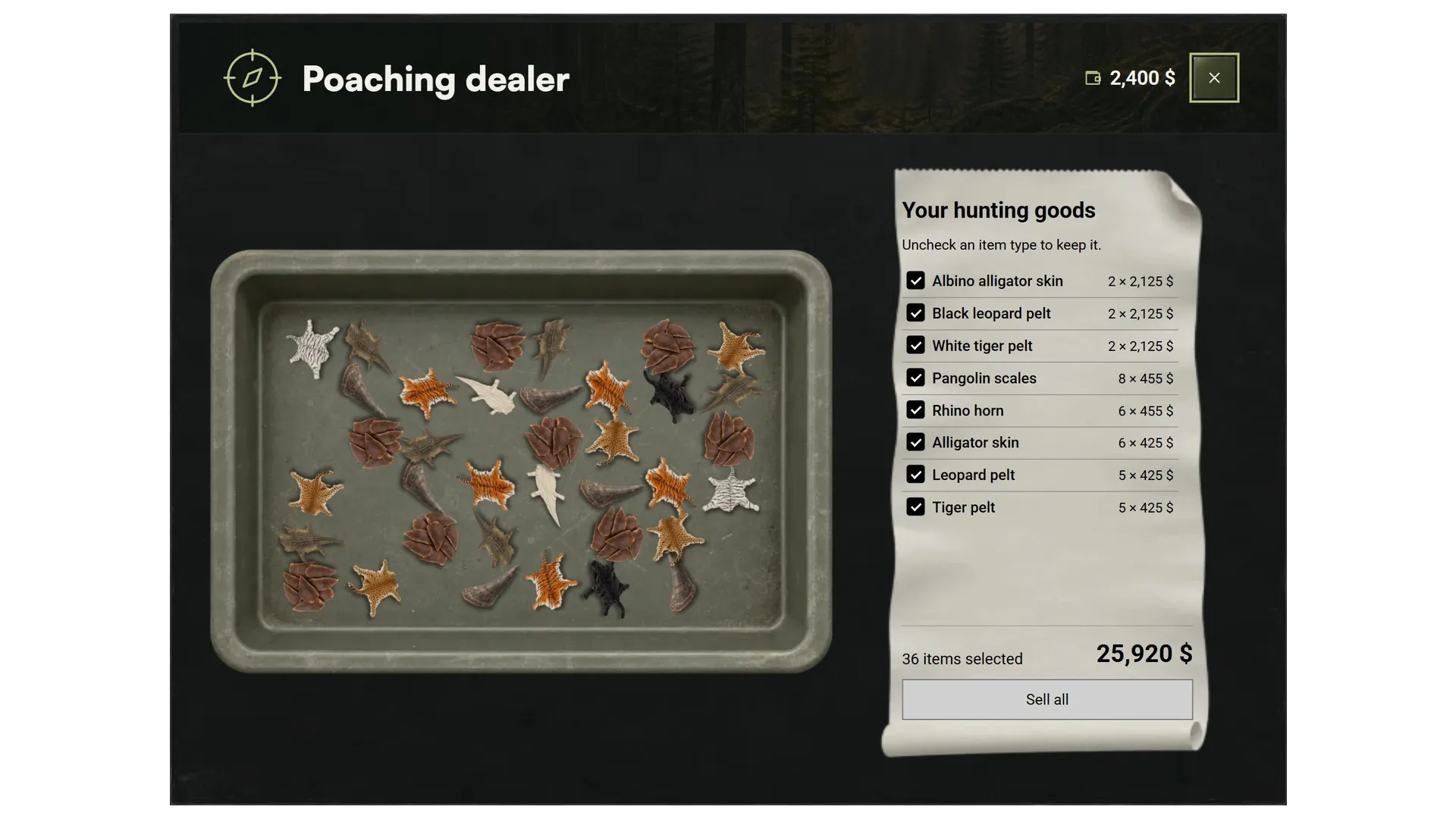
The poaching dealer buys goods and transportable whole animals from protected species. Use Bayview Lodge and the butcher for legal game.
Protected species and regions
In the supplied settings, alligators, leopards, tigers, rhinos and pangolins are protected. Server owners can change species assignments in Animals in Hunting configuration.
The species determines which buyer accepts its goods or carcass. Red hatching on the Hunting map identifies regions excluded from daily missions. Check the region and species when working on an order.
Use the poaching dealer
The lodge and butcher refuse protected animal goods and carcasses. At the Poaching dealer, choose Trade with the poaching dealer to sell their hides and other illegal goods. You can also carry an intact, transportable protected animal to this dealer for a whole-animal sale. The dealer's map blip is disabled by default. Server owners can change the position and blip in NPCs and locations.
The supplied protected species have dedicated loot items. A species reassigned to poaching that uses a generic hide needs an inventory provider that preserves item metadata. This lets the buyers distinguish legal and illegal hides that share an item ID.
Police reports
With Police reports enabled, an attempted illegal sale at the lodge or butcher can create a dispatch for the configured jobs. The supplied integration uses the dispatch service in sky_jobs_base. Enable it with a running, configured Jobs Base and set the recipient jobs and cooldown in /huntingconfig. Jobs Base Emergency Dispatch
Test an attempted sale on a test character while a configured recipient can check the dispatch. Disable Police reports if your server uses Hunting without the dispatch integration.