
Browse docs
Boss Menu, tablet and business
Job Creator configures jobs; Jobs Base provides the shared employee systems described here. Install matching Sky Base and Jobs Base versions. Per-job switches, global settings, permissions, duty requirements and your selected banking, inventory or clothing provider determine which tools are available.
All screenshots use fictional demonstration data.
Boss Menu
Open the shared management interface from the tablet or a configured management point. Employees see the sections and actions their permissions allow.
| Area | Available functions |
|---|---|
| Dashboard | Society funds, duty overview, online staff and recorded member activity |
| Members | Invite nearby players, view employees, promote, demote, dismiss and pay bonuses |
| Roles | Names, permissions, salaries, payout intervals and supported grade structure |
| Equipment and apps | Rank restrictions for storage items, weapons, vehicles, tablet apps and document classifications |
| Units | Departments or teams, member assignment, permissions and vehicle access |
| Finances | Account balances, cash flow, permitted deposits/withdrawals and transaction history |
| Billing & Prices | Available invoice settings and service-price lists |
| Service numbers | Employee service numbers, shared card layout, logo, colour and number format |
| Logs | Recorded management actions and financial activity |
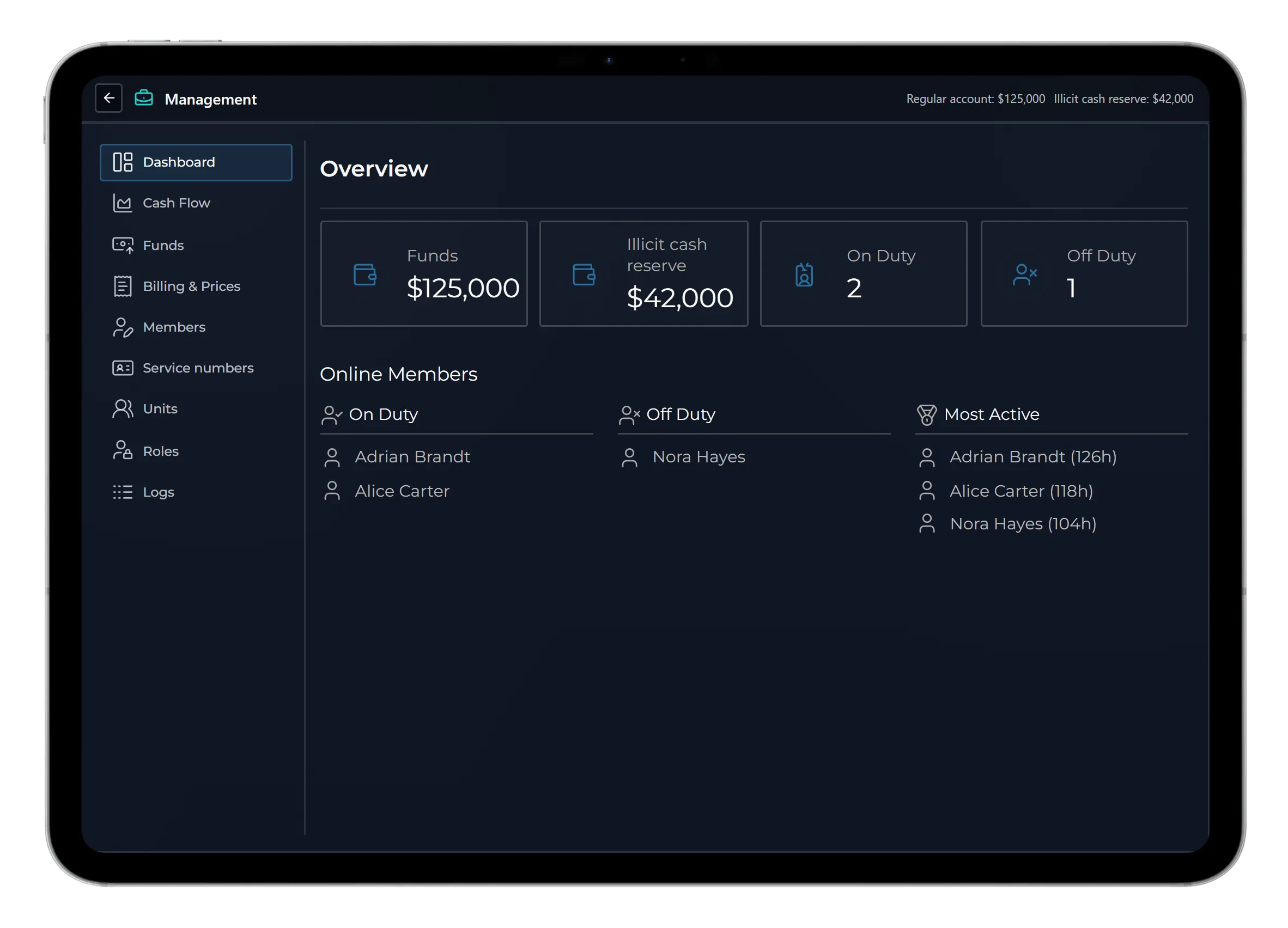
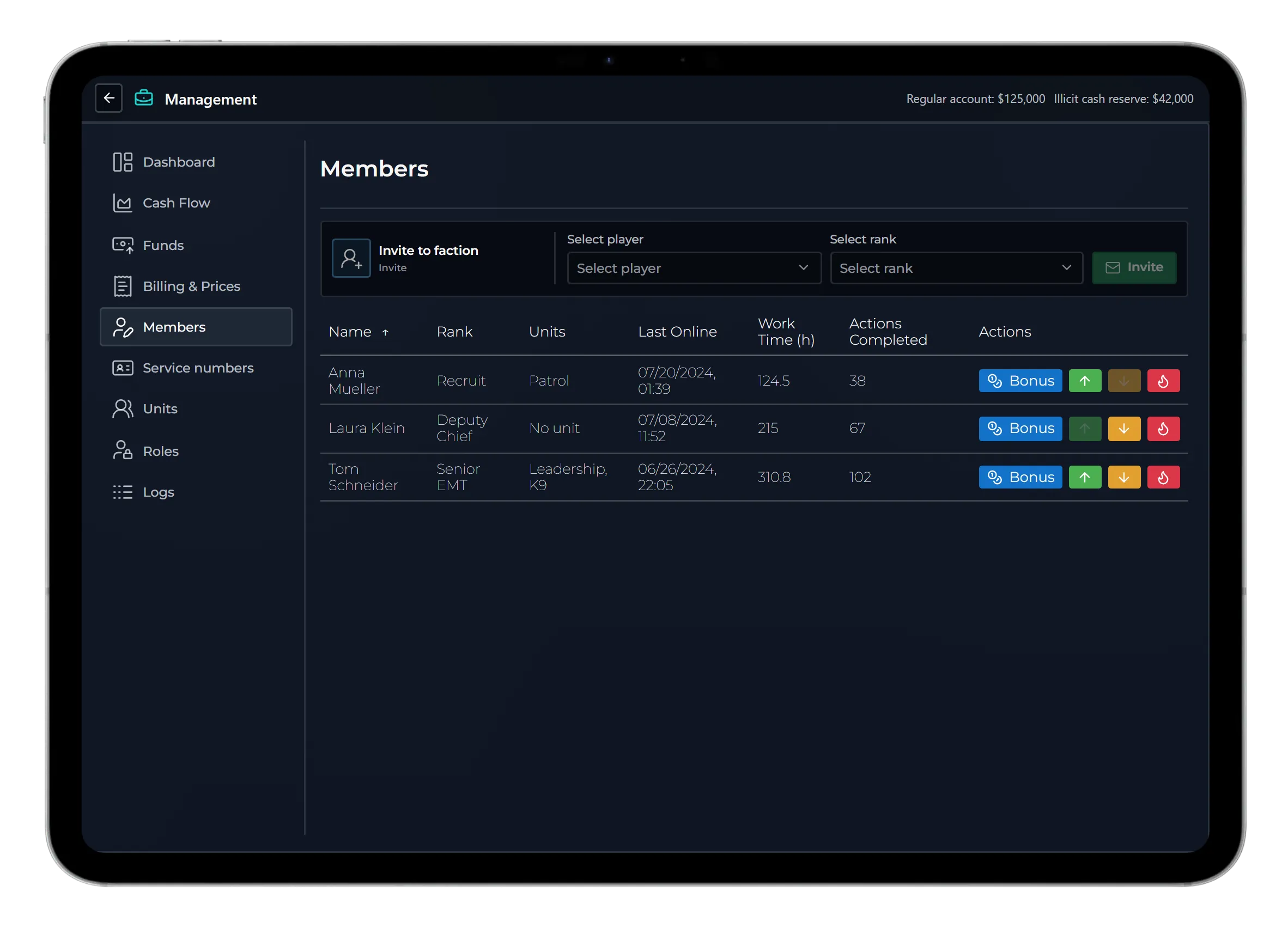
Server owners can lock role names, salary values, payout intervals and role structure against management-menu editing. Creator command access is separate from an employee's Boss Menu permissions.
Billing and payroll
- Invoices: authorised employees issue invoices to players or societies. Configure reasons and prices, on-site payment or a payment deadline, and the available payment methods.
- Payment records: review open, partially paid, paid, cancelled and overdue invoices. Cash, bank and society payment availability follows the invoice type and configured providers.
- Instalments: approve plans per job with a number of rates and an interval. Recipients pay the first rate; the remaining due rates follow the automatic collection rules.
- Overdue collection: optionally attempt to collect overdue amounts. Insufficient funds leave an outstanding amount; do not treat an attempted collection as a successful payment.
- Employee shares: configure a percentage for eligible society-to-player invoices. The society receives the remainder; an offline employee's share is retained for login.
- Payroll: configure grade salaries, payout intervals, duty-based pay and the payment source. Society-funded salaries require a working account and sufficient funds. Gang definitions do not receive job payroll.
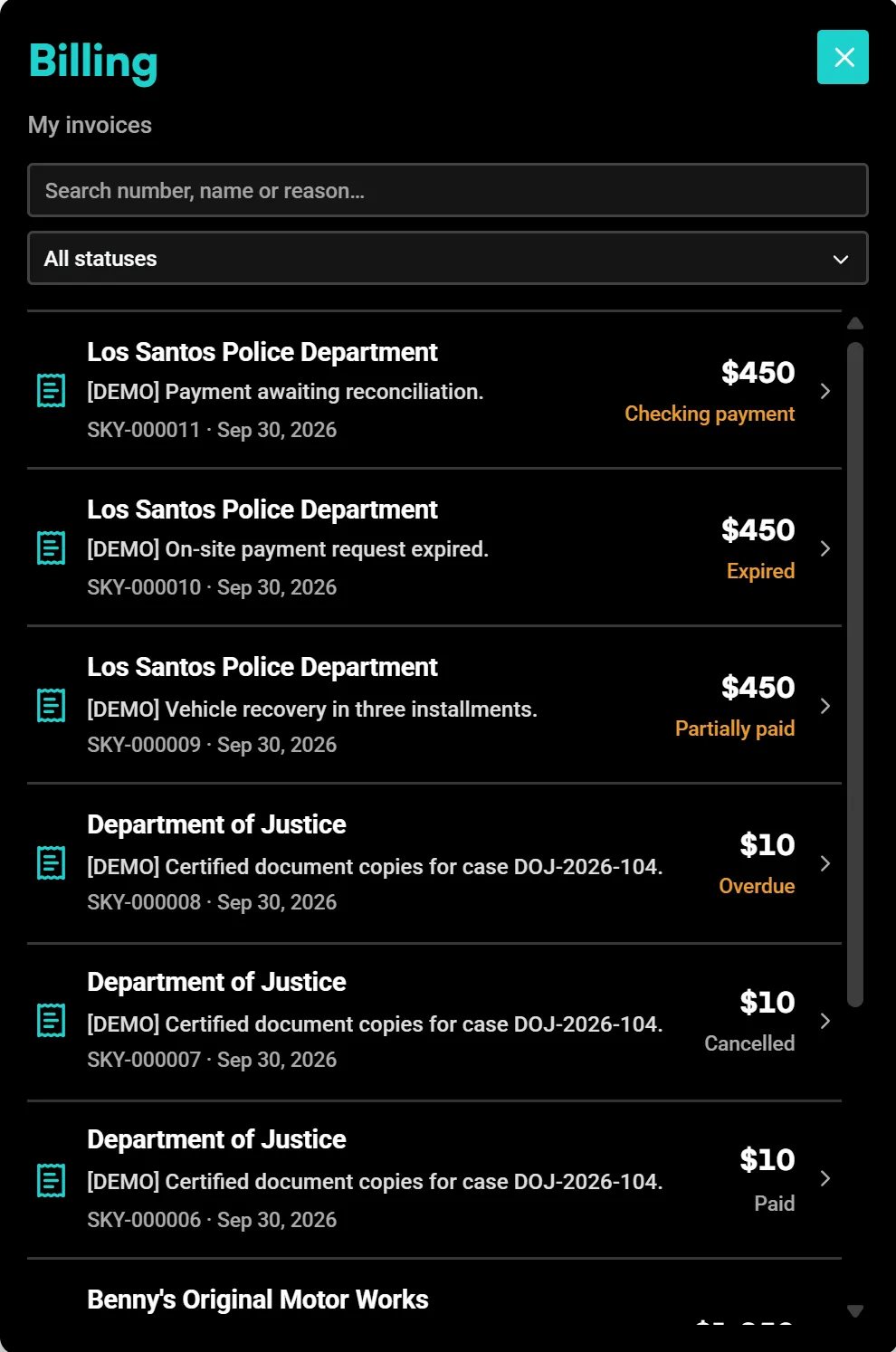
Global collection, instalment and employee-share settings belong under Jobs Base → Administration → Billing. The Creator exposes the job's available billing and salary configuration; it does not duplicate every global Jobs Base setting.
Tablet
The shared tablet provides the Boss Menu, job billing, job documents, business tools and optional online supply ordering. Generic jobs can also use enabled shared apps such as Forms, Chat, Calendar, Personal Notes, Camera, Gallery, Map, Calculator and Settings.
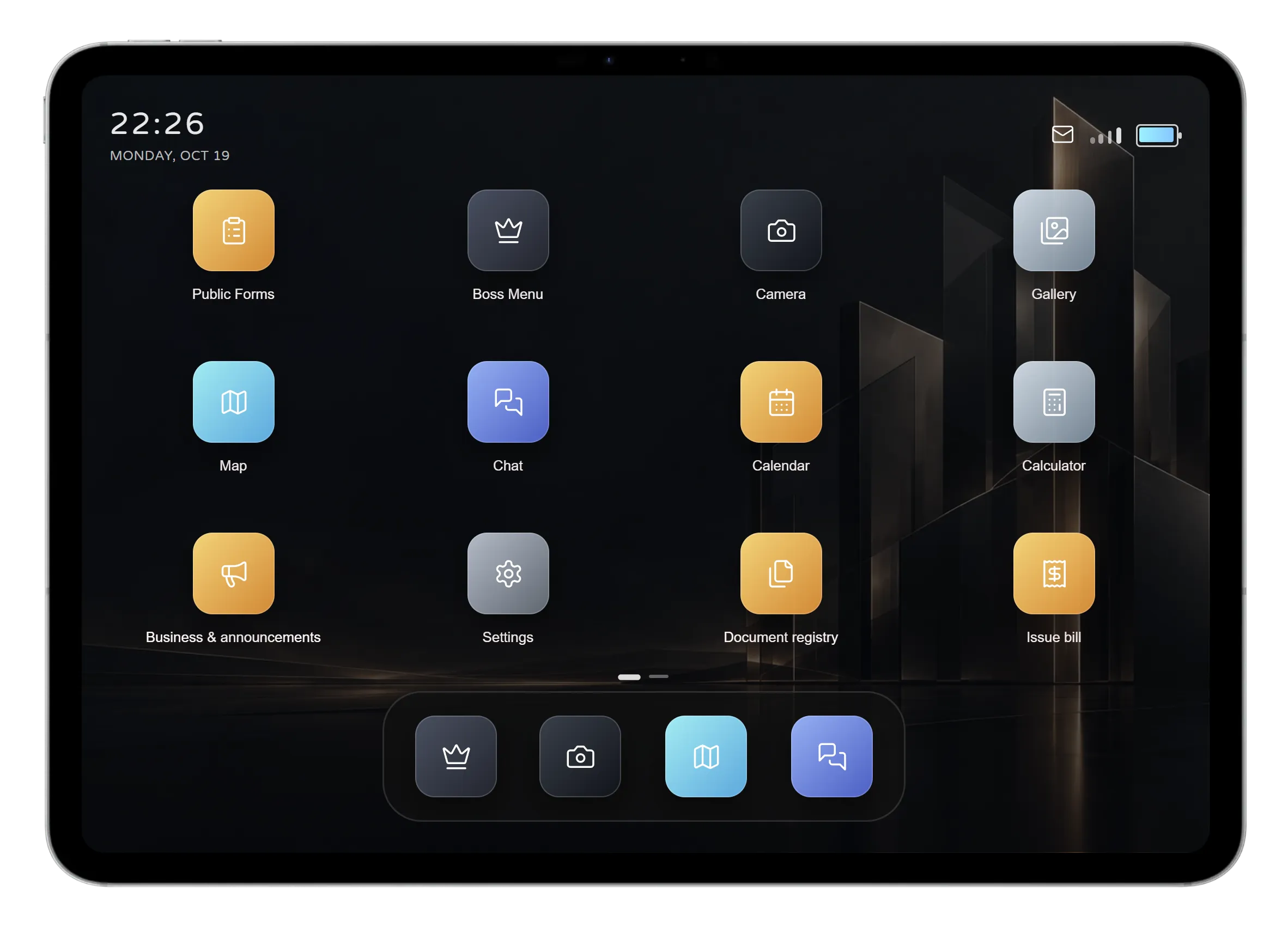
Configure app availability and rank restrictions. Jobs Base also owns tablet item access, supported workplace computers, optional allowed-vehicle access, themes, wallpapers and personal settings. If separately installed and configured, LB Tablet or RoadPad can host the supported Sky apps.
Camera/media upload and other provider-dependent actions need their matching integrations. A shared app's presence does not add the specialist records or gameplay of another Sky resource.
Business system and Business Announcements
Enable business status and announcements separately for each job. Authorised staff can:
- Open or close the business, optionally with a message.
- Publish an announcement, promotion or event using the job's display label.
- Review the business announcement history in the tablet.
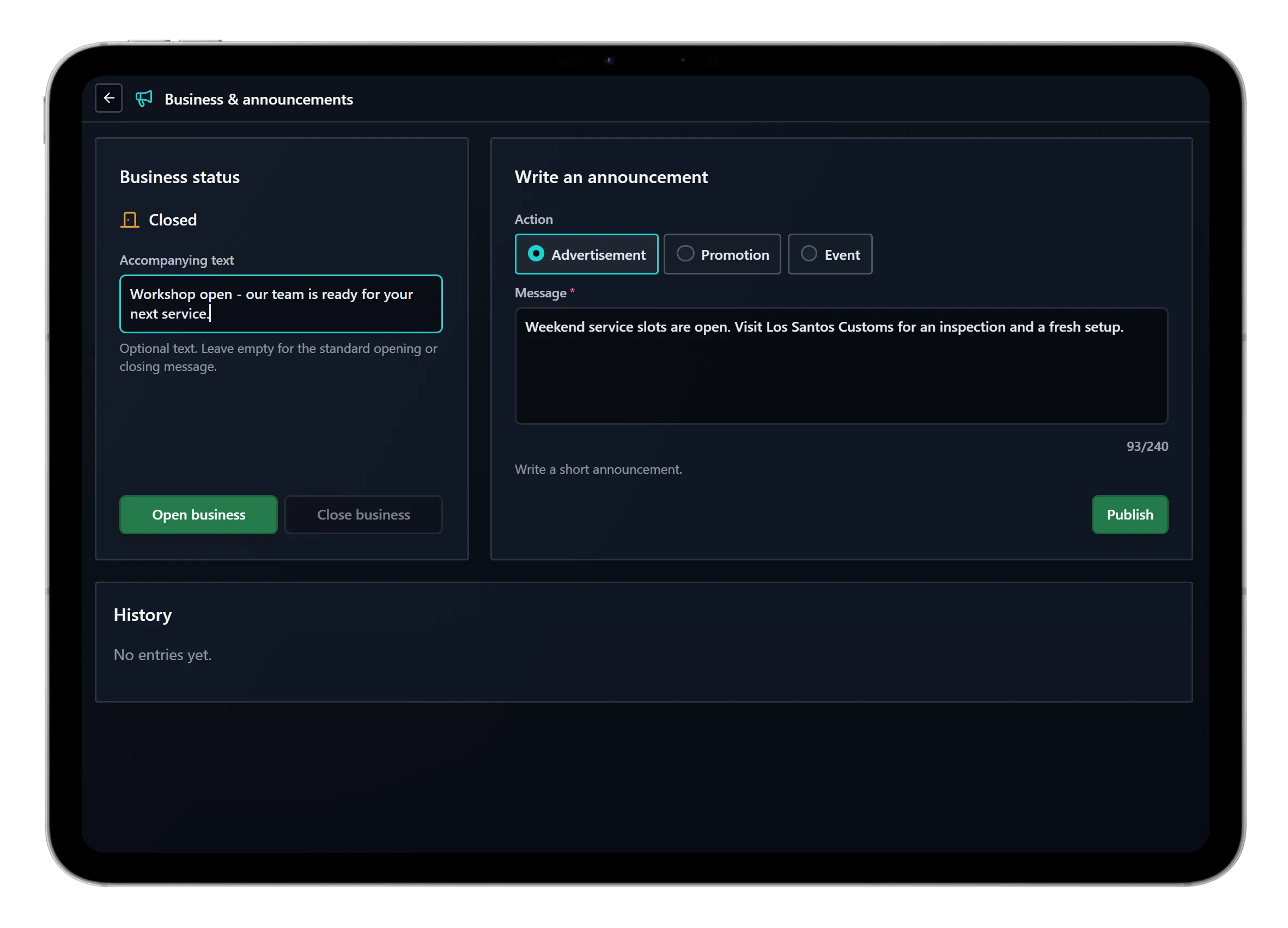
Per-job settings include duty requirements, the business image and open/closed blip presentation. Jobs Base owns shared announcement placement, display duration, cooldown and optional public Discord notices/private administrator logs. Webhook URLs remain server-side.
Ringbell requests
Add reception bells with a position, prop, marker, sound, volume, audio radius, interaction distance and cooldown. Choose nearby players, job employees or both as recipients, with an optional on-duty requirement.
Employees can accept a request to set a waypoint to the caller or dismiss it personally. They can adjust their notification position. Unplaced bells remain inactive until positioned.
Optional online supply ordering
New generic jobs have the Online Shop disabled by default. It is employee supply ordering: configure a catalog of item names, labels, categories and prices, minimum rank, personal/company-card payment, delivery delay and collection points. Employees order, track and collect supplies through the tablet.
This is separate from the immediate wholesale purchase interaction. A job does not need online ordering to use the other systems.
Other shared workplace tools
Configure garages and fleets, spawn/return locations, rank/unit vehicle access, shared storage, personal lockers, wardrobes, uniforms and wholesale supplies. Place supported interactions with markers, NPCs, objects and map blips. Marker controls include image-based type selection, X/Y/Z dimensions and offsets, colour and opacity.
See Job configuration for the editor workflow, Farming for independent activities, and Community Hub for sharing.
Generic Creator jobs exclude training, dispatch, radio/FMS, dispatch-linked tracking, panic and cross-job document sharing. Gangs also exclude billing and printers. Specialist police, medical, mechanic, fire and justice gameplay requires the corresponding resource.