
Browse docs
Overview
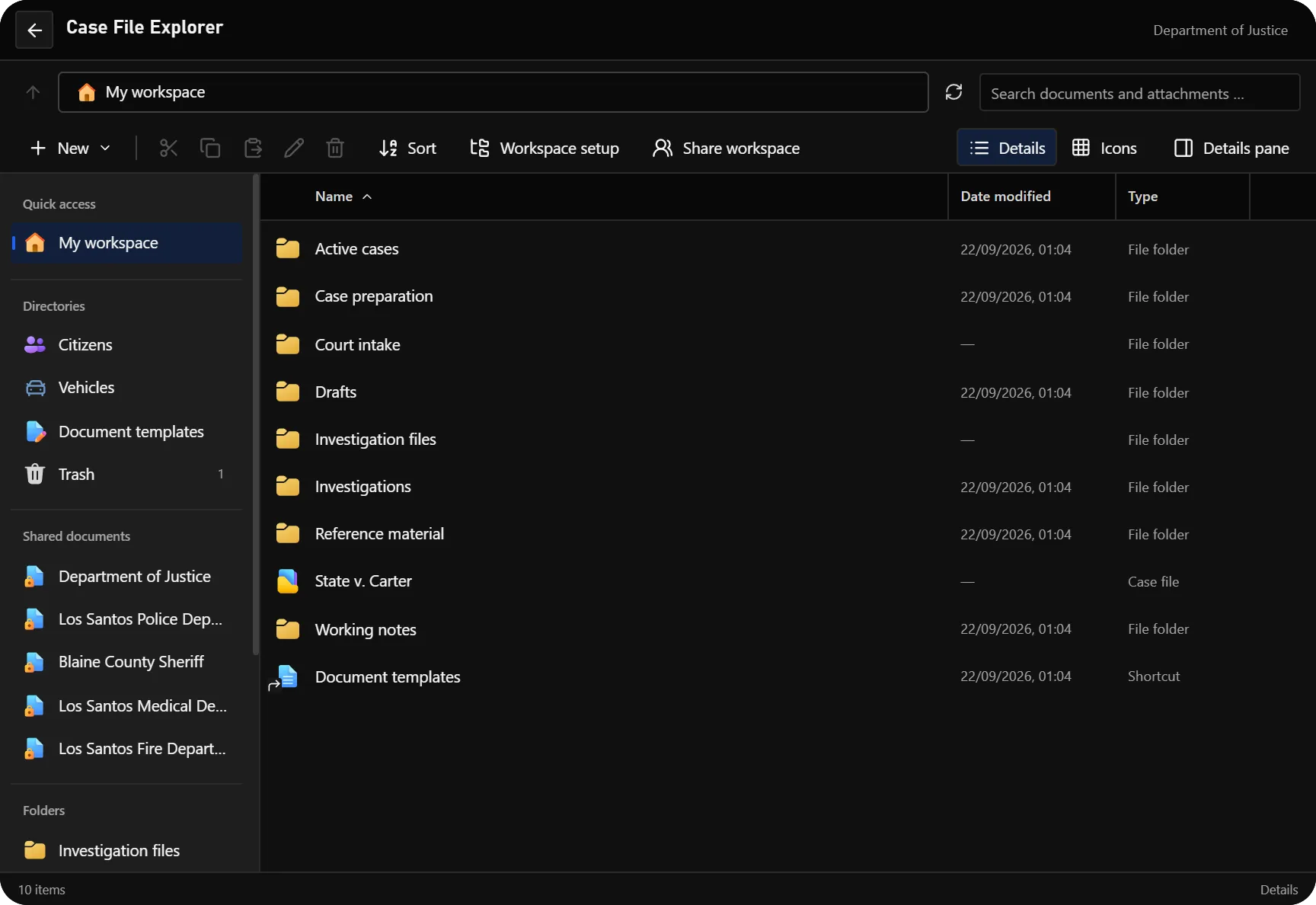
DOJ Job adds a Department of Justice job to the Sky tablet. Its File Explorer connects numbered cases, task and responsibility handovers, citizen and vehicle records, documents, registers and shared agency records. Finance provides faction-account operations and the bank-investigation tools supported by your provider.
Documents use versioned templates. A template supplies the layout, fields, reference format and required signature lines; each document keeps the template version used to create it. A signed version, a shared snapshot and a physical print remain tied to their original content.
Start here
- Follow Installation to prepare dependencies, SQL and inventory items.
- Configure your job and enabled systems in Configuration.
- Complete Permissions, including the technical grade bindings required for case-file access.
- Open the Tablet and File Explorer, create a document and test it with a second authorized character.
Documentation
| Page | What it covers |
|---|---|
| Installation | Start order, database setup and first-start checks |
| Configuration | Job Configurator, open configuration and optional modules |
| Permissions | Administrator commands, DOJ roles, job permissions and case access |
| Tablet and File Explorer | Workspaces, Citizens, Vehicles, folders, search and team access |
| Cases and handovers | Case numbers, tasks, responsibility, decisions, redacted copies and folder ZIPs |
| Documents and signatures | Creating drafts, references, attachments and signing |
| Document templates | Shared and personal templates, required fields, page layout and publishing |
| Registries and certificates | Name changes, marriages/divorces, selected licenses, businesses and printable extracts |
| Finance and bank investigations | Faction balances, treasury transfers, collections, account tools and history |
| Sharing and printing | Recipients, revocation, incoming records and physical copies |
| Laws and Fine Catalogue | Legal codes, law books and offences |
| Hearings and courtrooms | Hearing schedules and courtroom workflows |
| Elections | Elections and voting |
| Conditions | Court conditions and their follow-up |
| Inventory items | Printed documents, law books, portable case containers and printer supplies |
| Client Exports | Open tablet applications from client menus |
| Server Exports | Documents, court conditions, hearings and evidence integrations |
| Troubleshooting | Access errors, missing templates, concurrent edits and print collection |
Other DOJ applications
The resource also includes Legal Codes and the Fine Catalogue, Hearings and courtrooms, Conditions and Elections. Applications and editing actions depend on the enabled module, current job, duty state and assigned permissions.
Registries and Finance are enabled in the shipped defaults; saved server overrides still apply. Asset taxes remain optional and disabled by default. The Citizens and Vehicles directories are available independently of the registry toggle. This documentation is public; DOJ product and purchase access currently remain part of the beta program.
Working with other jobs
The required resources are sky_base and sky_jobs_base. Police, Ambulance, Fire and Mechanic integrations add their own records when those jobs are installed and configured. Shared Documents groups incoming records by the issuing job, so a sheriff department can remain separate from the city police department.
In DOJ, records with a primary citizen or vehicle association appear inside that record's Shared documents folder. The sidebar's agency links contain incoming records without that association. See Sharing and printing for the distinction between access to a source and an independent copy.